
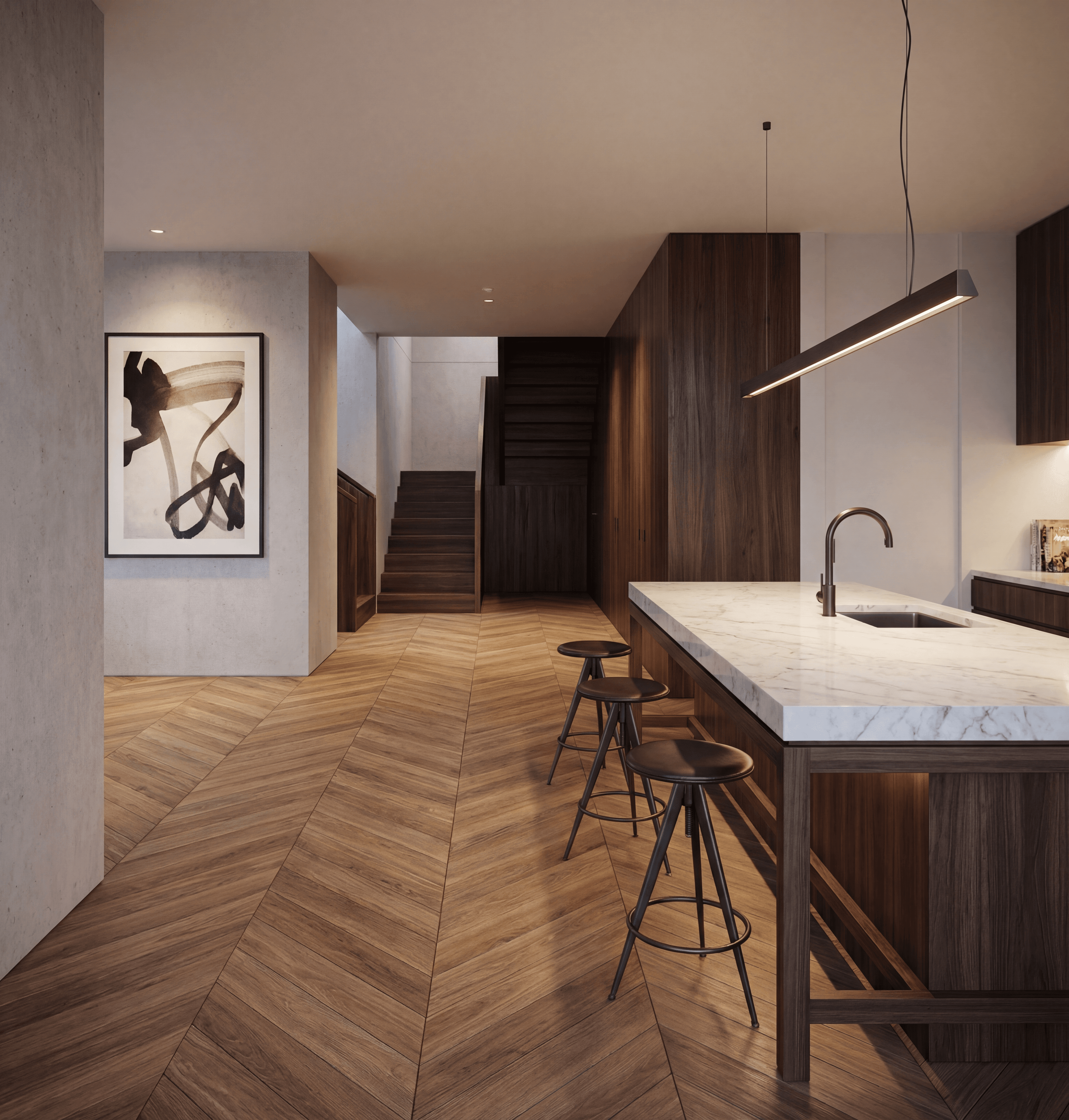
A design competition entry, ten days out, four concept directions on the table and no time to model and render all four properly. The usual move is to pick the "safest" one early and put every remaining hour into it — not because it's necessarily the strongest idea, but because visualizing all four isn't realistic on the clock. AI concept design changes that math, but only if you use it the right way — which, it turns out, is not the way most people reach for first.
The problem: deciding requires seeing
The hardest part of the concept stage is this: to know which idea is actually stronger, you need to see it. But seeing takes work, and work takes time you don't want to spend before you've chosen — a genuine catch-22. The traditional way out is to fall back on whatever formula worked last time, rather than take the risk of visualizing something new.
The method: fixed massing, controlled variation
The instinct most people have when asked to "produce 10 alternatives" is to generate each one from scratch — 10 separate prompts, 10 independent generations. That's slow, and worse, it makes comparison nearly impossible, because camera angle, light and composition drift with every fresh generation. You end up comparing apples to oranges.
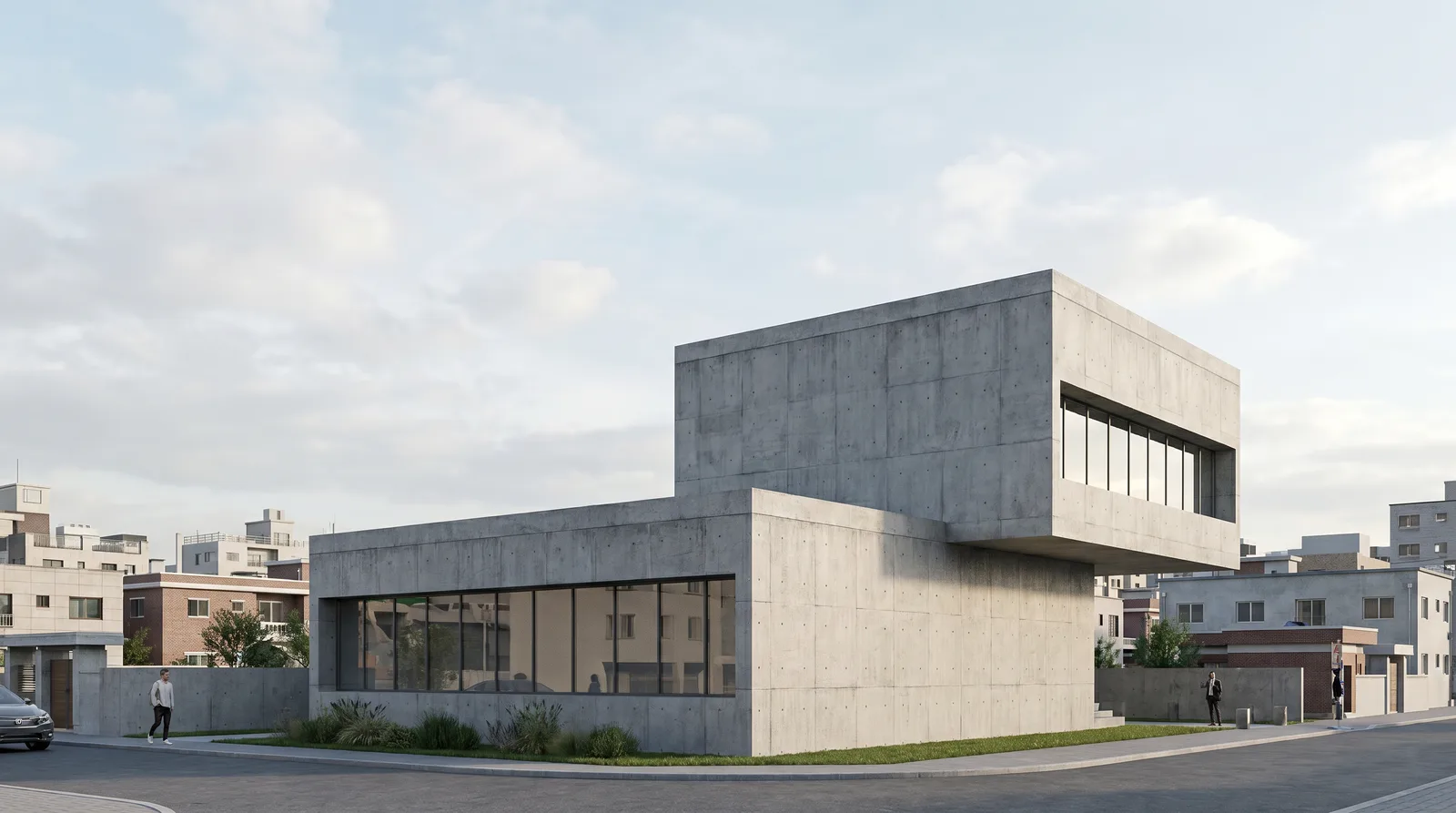
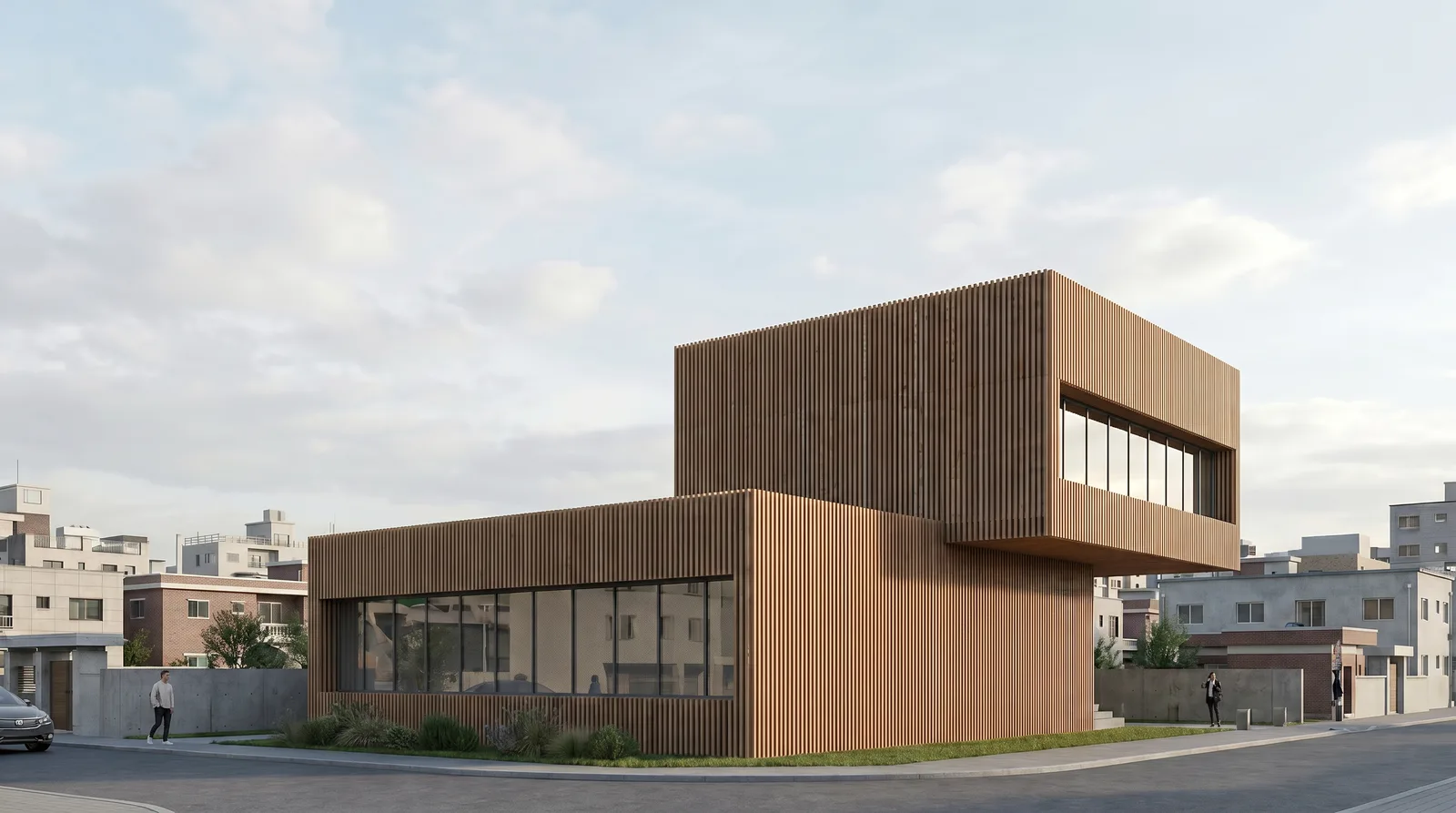
The right method is the opposite: generate one base image, then branch it. You set the base once with a fresh generation — massing, camera, composition all get locked in there. Every alternative after that is an edit on the base: "keep the massing and camera, change ONLY the material/style/light." The result isn't ten different buildings — it's ten different languages for the same building — and because the variables that don't change (camera, composition, background) stay fixed, they're genuinely comparable side by side.
Here's what that looks like on a single massing study, branched into three material directions.
Base — massing study, raw concrete:
Variation A — "keep the massing and camera, ONLY change the facade material to wood slats":
Variation B — "keep the massing and camera, ONLY change the facade material to anthracite metal panel, make the window frames bronze":
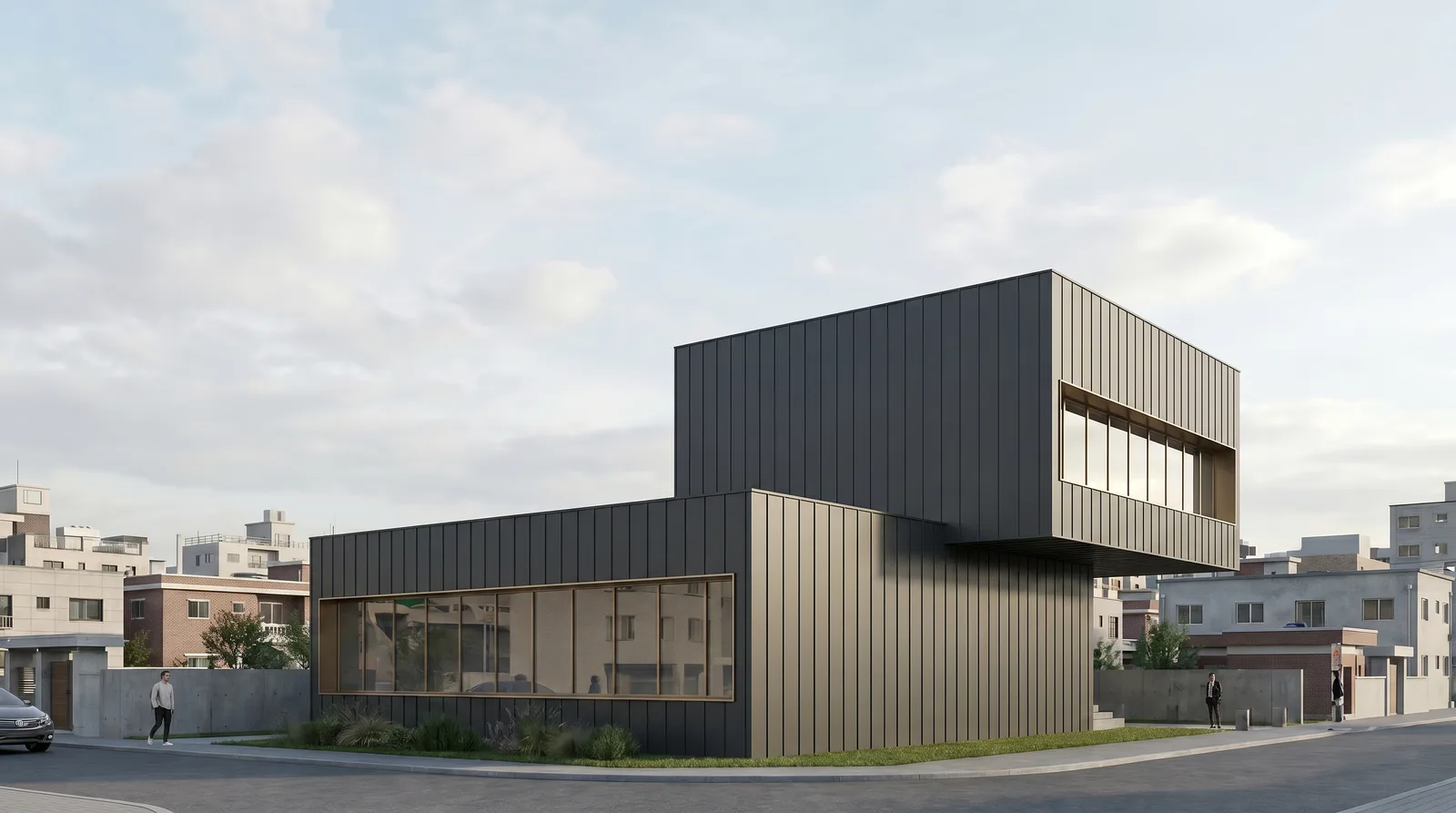
Put the three side by side and the massing proportion, the offset relationship between the two prisms, the position of the window strip, the neighboring buildings in the background, even the person and car on the street are identical — the only thing that changed is the facade material (and, in B, the window frame color, because the prompt specifically asked for it). These three are now genuinely comparable: a jury or client is looking at "which material language suits this massing," not "which building is nicer" — because it's the same building.
What we actually saw, running this on a real project
On that competition entry, we started each concept with a simple massing sketch — five minutes, no detail. We fed those into AI as a base with general direction ("contemporary architecture, urban context, daytime atmosphere"), then branched each base into 3 variations: 4 concepts × 3 variations = 12 images, in under an hour.
The interesting part: the concept we thought was "safest" looked flat once visualized. The one we'd been treating as "risky" — a bolder massing relationship — looked strong. The jury apparently agreed, because that entry made the final round.
The practical steps
1. Keep the sketch fast. Skip detail. Massing relationship, silhouette, basic proportions — a 3-5 minute drawing is enough; this sketch is the input to your base.
2. Get the base right once. Camera angle, atmosphere and light get locked in here. A weak base means every variation built on top of it is weak too — spend your time on the base, not the variations.
3. Branch variations with edits, not fresh generations. Like the A/B example above: "keep the massing and camera, change ONLY [material/style/light]." Be explicit about which one you're changing, and state that the rest stays fixed via the preservation clause.
4. Lay them out side by side. Put every image on one presentation screen or one page. Because camera and composition are fixed, the eye actually focuses on the material and atmosphere difference — not on re-orienting itself to a new angle each time.
5. Cut early. 3 of your 10 alternatives will stand out. Take those further — higher resolution, an additional angle, final light tuning — and let the rest go.
The time difference
Comparing 4 concepts the traditional way:
- 4x SketchUp model: ~20 hours
- 4x basic render: ~8 hours
- Total: ~28 hours
With AI (base + branching):
- 4x sketch: ~20 minutes
- 4x base generation: ~20 minutes
- 4x 3 variations (edits): ~60 minutes
- Total: ~100 minutes
That gap is the real difference between concept exploration and final work — the two belong in different places in your process.
Common mistakes
- Generating each alternative independently instead of branching. This is the mistake the whole method above exists to avoid — independent generations drift in camera and composition, which makes them impossible to compare fairly.
- Writing a vague style note on the base. "Contemporary, nice" leaves too much to the model; name a material family and an atmosphere, even loosely, so the base is a real starting point rather than a random one.
- Skipping the preservation clause on a variation. "Make it wood" without "keep the massing and camera the same" risks the model re-imagining the whole composition, not just the material.
- Stacking more than one change per variation. "Change the material and the season and add people" in one prompt forces the model to prioritize — usually all three come out half-right. Branch one variable per step, the way Variation A and B did above.
The catch worth flagging
These images are not "final presentation" — they're a decision-making tool. The final images you actually put in front of a jury or client get built from the 2-3 alternatives that survive, at higher detail and with additional angles. But producing a final image before you know which direction you're headed is a ship without a compass.
Related reading
- AI Architectural Rendering: The Complete Guide
- How Long Does Architectural Rendering Take? AI vs V-Ray
FAQ
How do I generate multiple AI architecture concept alternatives that are actually comparable?
Generate one base image with your massing, camera and composition locked in, then branch every alternative as an edit on that base — changing only material, style or light — instead of generating each one from a fresh prompt. Fixed camera and composition are what make the results comparable.
Is this fast enough to use live in a client meeting?
Yes for the edit step — once a base exists, a single-variable variation typically resolves in seconds to a couple of minutes, which is fast enough to try a client's "what if" idea live.
Does this replace detailed massing study or physical models?
No — it's a visualization accelerator for a massing decision you've already sketched, not a substitute for structural or spatial study. Treat the output as a decision-making aid, not a final deliverable.
Want to try this on your own concept sketches? Explore AI architectural visualization features or start free.