
The night before jury, your board doesn't have to be built alone.
From sketch to render, from plan to exploded axonometric diagram: finish your studio deliverables and jury board fast, in one consistent visual language.
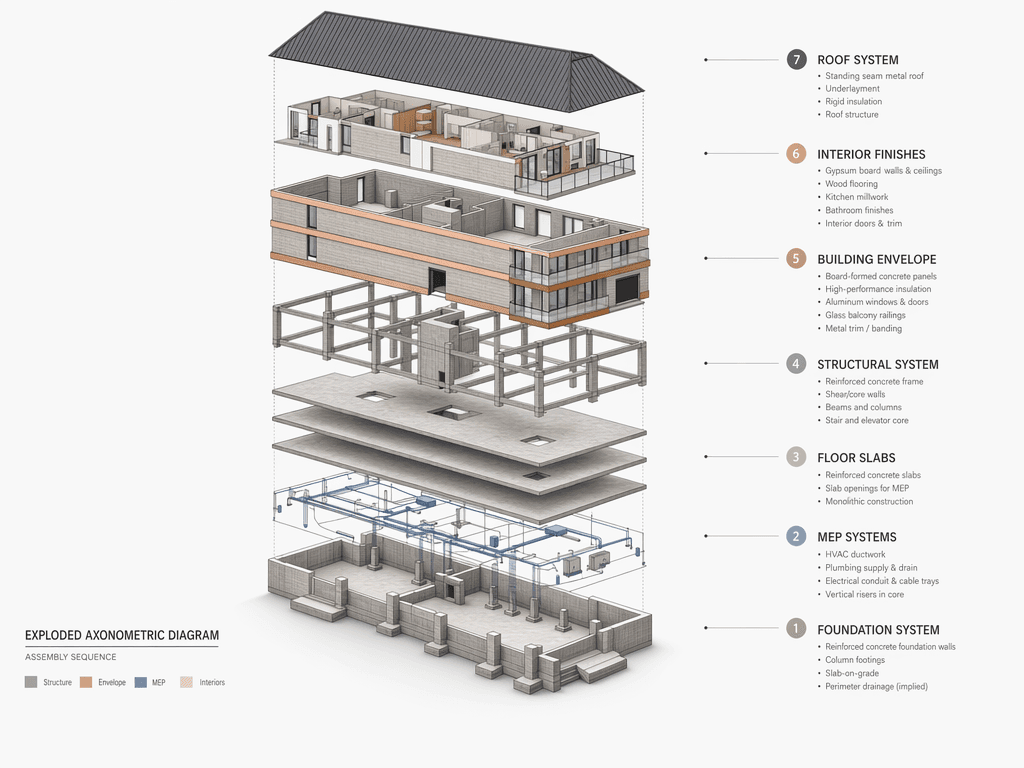 Jury board output
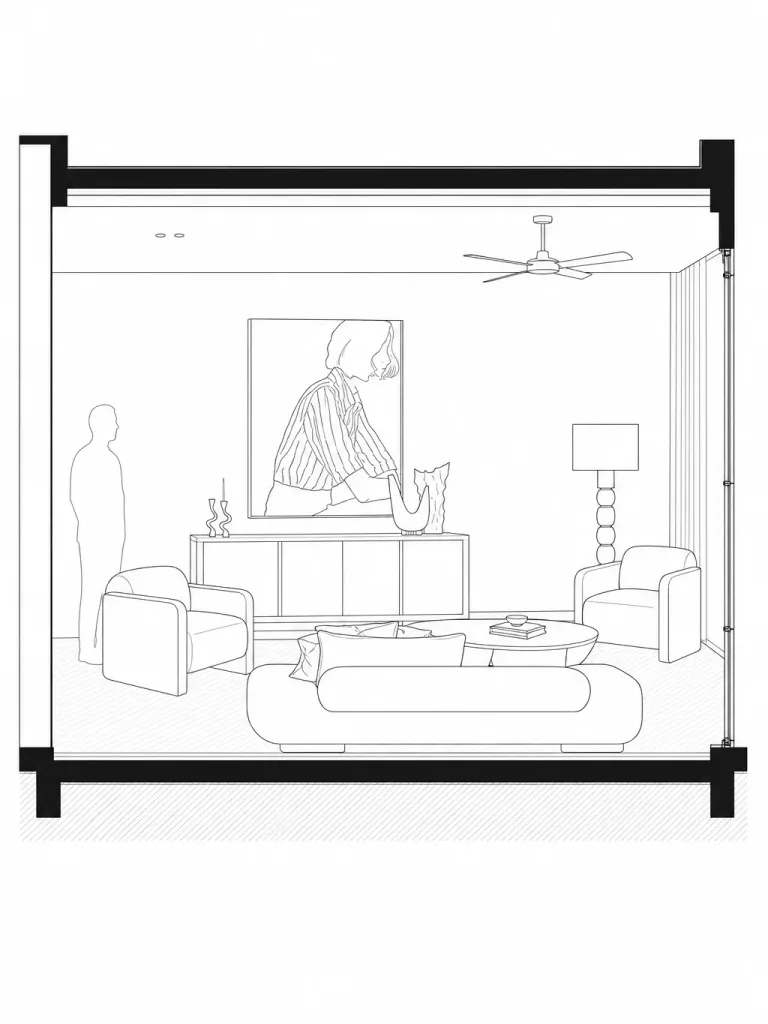 Section drawing
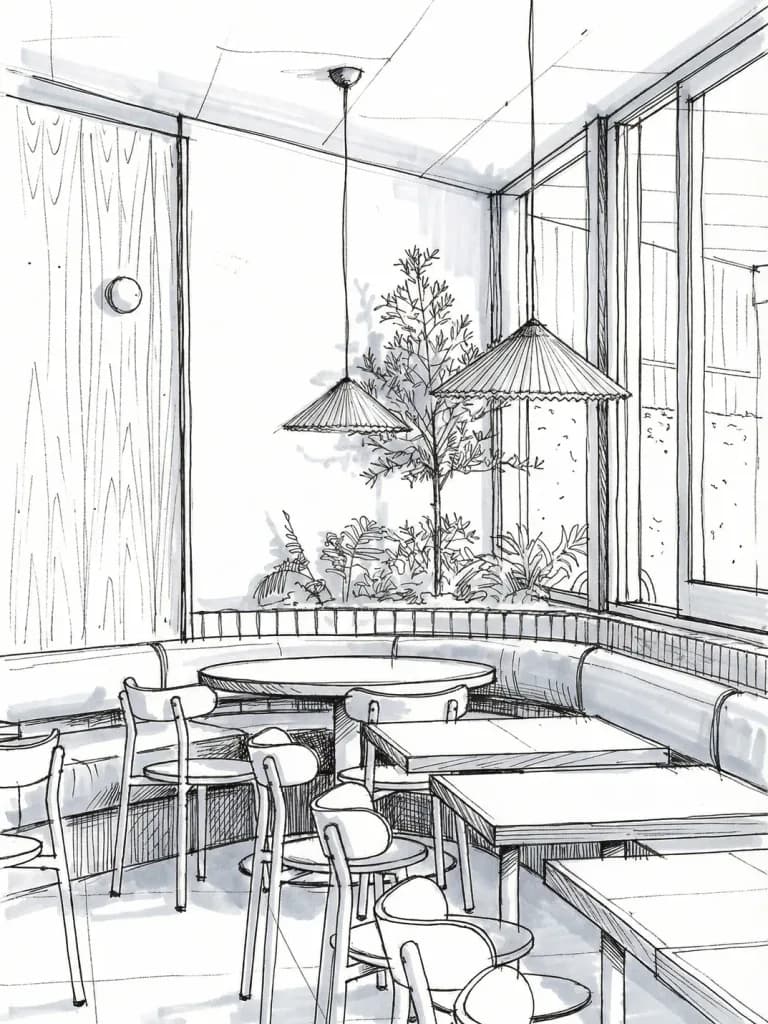 Sketch language
You're not alone on jury night
A workflow that turns a sketch into a render and a plan into a diagram gets you to the deadline on time.
Fits a student budget
Start with free credits and pay only for what you actually generate.
A visual language ready for your portfolio
Present your studio project in a consistent visual set you can reuse in your graduation portfolio.
The Story of One Jury Night
The board comes together late at night; the render doesn't make it wait.
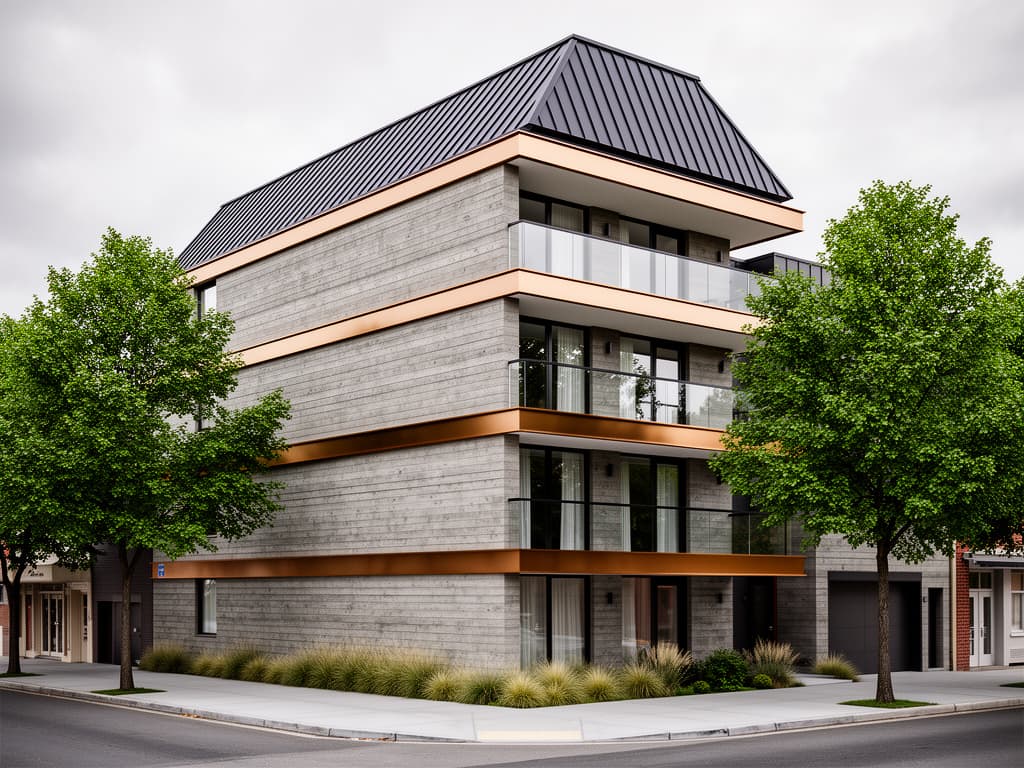
Less than a day left before the deadline. Your model is finished, your plans are drawn, but the board still feels flat — you need to show the jury a design that's still stuck in sketch language as something photorealistic, or at least atmospheric. There's neither time nor computer power to learn a rendering program right now.
You upload a photo of your sketch or scanned plan and lock the composition with a preservation clause. While turning the facade into a photorealistic render, you also generate, in the same workflow, an exploded axonometric diagram explaining your structural system — walking into the jury with a ready answer to the question they always ask: "what's your structure?"
The board comes together late at night. The next morning you refine the same visuals a bit further and add them to your graduation portfolio too — the visual language you produced for jury stays the same visual language you use in a job application.
Example Outputs
Sample frames from this workflow.
An exploded axonometric ready for the jury board from a single photo — completed in the same board language with the section and sketch presets.
Section drawingSketch language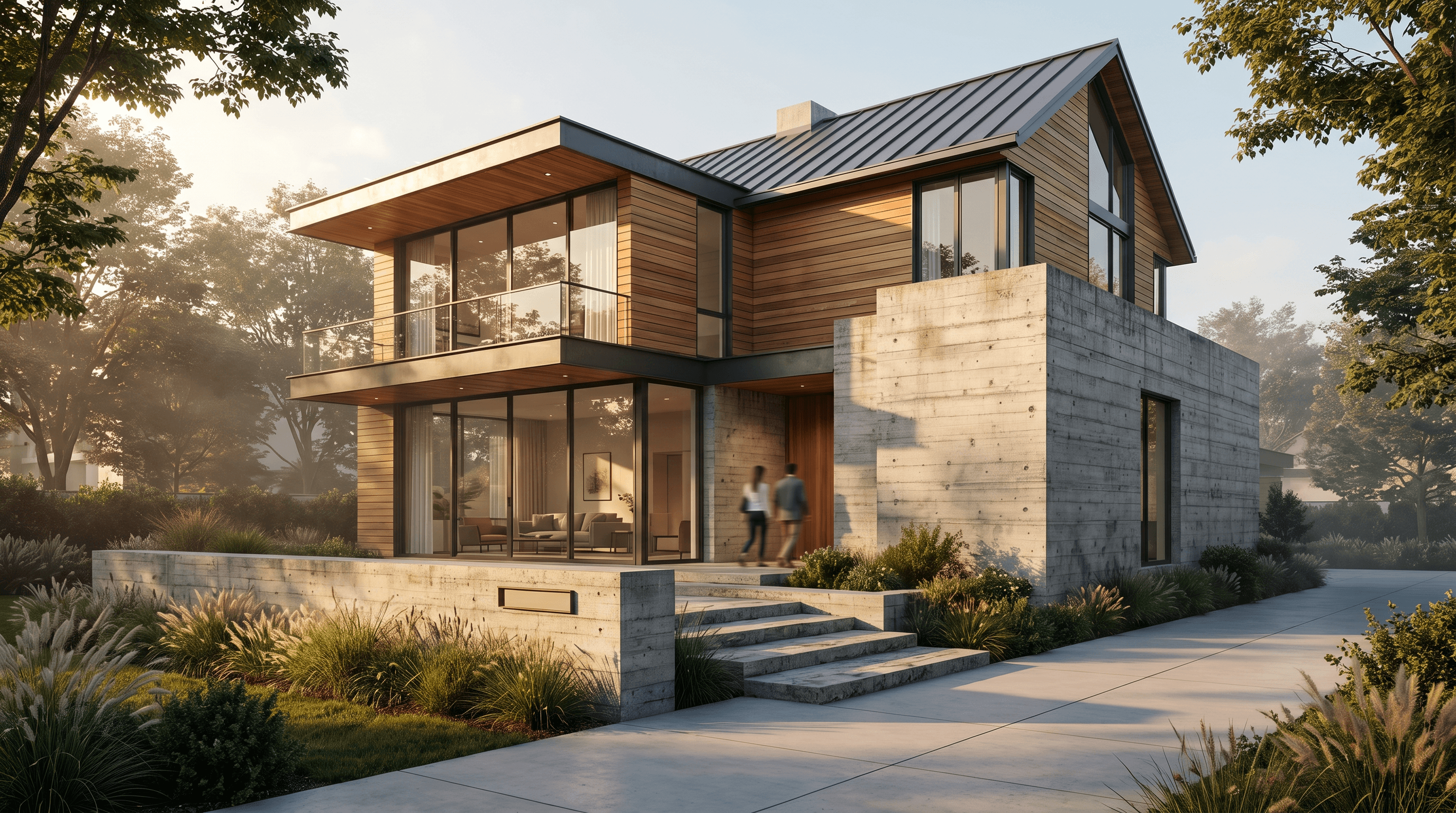 Sketch to render
How It Works
From brief to output in three steps.
- 01
Upload your drawing or model
Upload your sketch, plan, or render; briefly note the delivery format (board, portfolio, presentation).
Input: Hand-drawn sketch or model photo, 2D plan, section, or elevation drawing, Render or 3D model image, Reference images and style notes
- 02
Translate it into the language you need
Turn the same work into a render, diagram, or sketch style; lock the composition with a preservation clause.
- 03
Add it to your board or portfolio
Bring the output into your layout software; use it on your jury board or in your digital portfolio.
Output: Presentation-quality render visuals, Exploded axonometric diagrams, Concept visuals translated into sketch language, A visual set ready to add to your portfolio
In Depth
3 ways to strengthen your studio deliverable
Sketch to render: change the material, not the line
Without a preservation clause, the model can reinterpret massing proportions and perspective on its own; an instruction like "keep the massing proportions and perspective the same" protects your drawing.
That way, only a material and lighting layer gets added on top of the sketch; the clearer and flatter the sketch is shot, the more the result matches your original line.
Exploded axonometric: explain the structure in one frame
A diagram that separates your structural system (foundation, structural frame, envelope, roof, interior) into layers is understood far faster than a written structural explanation, and becomes a strong reference point in the jury presentation.
You can use a photo, render, or isometric drawing as input — the source doesn't need to be a technical drawing.
Render back to sketch: return to the concept stage
Turning a finished render into a loose concept sketch gives the board sections where the jury wants to see "process" a second narrative layer that can sit next to the final visual.
This isn't a separate computation engine — it's a style-transfer prompt pattern of the same visual editing workflow, and should be used honestly, clearly labeled as "AI-assisted."
Prompt Patterns
Copy, paste, try it.
From sketch to jury render
You have a pen-drawn facade sketch and need a photorealistic visual for the board.
Convert this hand-drawn architectural sketch into a photorealistic exterior render. Keep the building proportions, window and door positions, and perspective exactly the same as the sketch. Apply board-formed concrete and warm timber cladding, soft overcast daylight, minimalist landscaping, architectural photography style.
If the sketch is shot clearly and flat, the result matches your original line more closely.
Exploded diagram explaining the structure
You need to explain your structural system (foundation, structural frame, envelope, roof) to the jury in a single visual.
Transform this building render into a true axonometric exploded diagram, separating the structure into clearly labeled horizontal layers: foundation, structural frame, envelope, roof, and interior spaces. Use clean line weights and a restrained academic color palette suitable for a competition board.
You can use a photo, render, or isometric drawing as input.
Returning from render to concept sketch
You want to show your final render as a concept sketch that narrates your process.
Redraw this architectural render as a loose conceptual pencil sketch: visible hand-drawn linework, light hatching for shadow, minimal color accents, sketchbook paper texture. Keep the composition, perspective, and massing identical to the original render.
Placed next to the final visual in process-narrating board sections, it builds a "concept-to-final" narrative.
Comparison
How it differs from a classic studio deliverable
| Step | Classic workflow | With Syntina |
|---|---|---|
| Facade render | Learning render software + hours of setup | A photorealistic visual from a sketch in minutes |
| Structure narrative | A hand-drawn layer diagram, taking hours | A layered diagram from a render or photo |
| Last-night revision | Rebuilding the scene and re-rendering | A fast variation from a new prompt on the same image |
| Budget | A paid render software license or outside render service | Start with free credits, pay as you go |
| Portfolio prep | Rebuilding the visual language after the project ends | The visual language produced for studio carries straight into the portfolio |
Scenarios
Where it's used in the field.
- Jury board preparation
- Studio semester project deliverables
- Graduation portfolio visuals
- Competition and workshop entries
Final Check
Before you submit your board
- Is the sketch or plan clear enough?
Low-contrast, angled photos lead the model to misread the line.
- Is the composition locked with a preservation clause?
Without an instruction like "keep the massing proportions and perspective the same," the model may reinterpret the design.
- Is the layer order for the structure diagram clarified?
Stating the foundation, structural frame, envelope, roof order in the prompt makes the narrative clearer.
- Do you know the delivery format (board size, resolution)?
Check the resolution you'll need for large-format printing before you generate.
- Did you add an "AI-assisted visualization" note?
Your institution's academic integrity policy may require this note on the board.
FAQ
Frequently asked questions
- Is this tool okay to submit as my assignment/project?
- The tool helps you translate your own design into a different presentation language (render, diagram, sketch) — it doesn't make the design decision for you. We recommend checking your institution's academic integrity rules.
- Is my hand-drawn sketch good enough?
- A clear, legible sketch drawn in pen, ballpoint, or felt-tip is enough. A blurry photo or a crumpled sheet weakens the result.
- Can technical drawings like sections or exploded axonometrics also be generated?
- Yes. You can turn your photo or render into an exploded axonometric diagram that separates layers, or into a section-style narrative; these are just different prompt patterns of the same visual editing workflow.
- How many visuals can I generate on a student budget?
- You start with free credits when you sign up; after that you move to a pay-as-you-go credit system. See the current credit table on the pricing page.
- Are my project files shared with anyone else?
- Images you upload are processed only for the generation you request; infrastructure providers such as fal.ai and BytePlus/ModelArk may be used in that process. Details are in our privacy policy.
- Can I get high-resolution, print-ready output?
- Yes, output comes at a resolution sufficient for board printing; for large formats like A0/A1, we recommend using the upscaling step.
This workflow doesn't produce your design — it strengthens how you present it
This workflow doesn't make the design decision for you; it translates your existing sketch, plan, or model into a different presentation language. Structural calculations, implementation detail, and jury evaluation are outside its scope.
Check your institution's academic integrity and AI-use policies — some studios may require AI-assisted visualization to be noted on the board.