
D5 Render alternative for architects: when Syntina fits, when it doesn't
D5 Render is a real-time ray-traced renderer for Windows that needs an NVIDIA RTX-class GPU, with LiveSync for SketchUp, Revit, Rhino, Archicad, 3ds Max, Blender and others. Syntina is a browser-based AI generator with no GPU requirement at all. Here's an honest comparison.
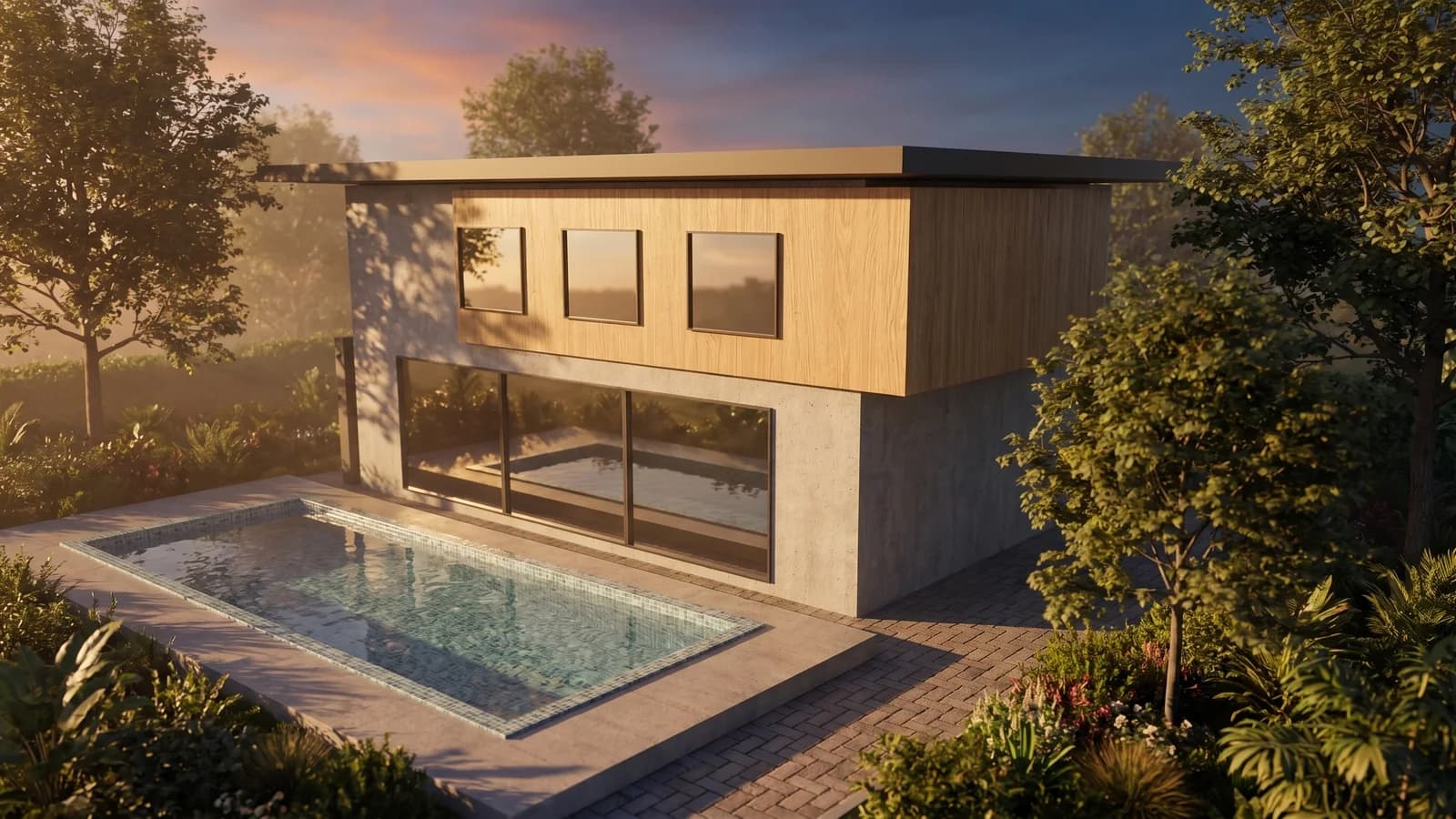 Syntina output — Blender, single attempt
 Model, panel and result on one screen
 Panel: account, scene, preset, credit estimate
No RTX GPU required
D5 Render needs an NVIDIA RTX-class card for real-time ray tracing; Syntina renders in the cloud, so your hardware doesn't matter.
Works before a 3D model exists
A sketch, a site photo, or a 2D plan is enough to start — no scene to link with LiveSync first.
Not a substitute for D5's real-time preview or its free tier
D5 Render's real-time navigation and free Community edition remain a strong, no-cost option once you're working from an actual 3D scene.
Who It's For
D5 Render or Syntina? One needs your GPU, the other doesn't need one at all.
D5 Render is a real-time ray-traced renderer for Windows, with LiveSync links to SketchUp, Revit, Rhino, Archicad, 3ds Max, Blender and others, plus a large built-in asset library. It needs an NVIDIA RTX-class GPU to hold real-time ray-traced frame rates — that's the trade-off for seeing near-final lighting and materials update live as you move the camera. D5 also offers a free Community edition alongside its paid Pro tier (check D5 for current tier details). If you have an RTX card and a model linked live, D5's real-time preview is a genuinely strong, low-cost way to work.
Syntina doesn't touch your GPU at all — rendering happens on Syntina's servers, so it runs the same on a lightweight laptop as it does on a workstation. It also doesn't need a 3D scene: a sketch, a site photo, or a flat 2D plan is enough to generate a presentable image, useful before a model is even worth linking with LiveSync. A generation takes about a minute, through a library of 39 presets.
In short: if you have an RTX-class GPU and a model ready to link live, D5 Render's real-time preview and free tier are hard to beat for iterating on an actual scene. Before that, or on hardware that can't run real-time ray tracing, Syntina gets you a usable image without any GPU requirement at all.
Example Outputs
Sample frames from this workflow.
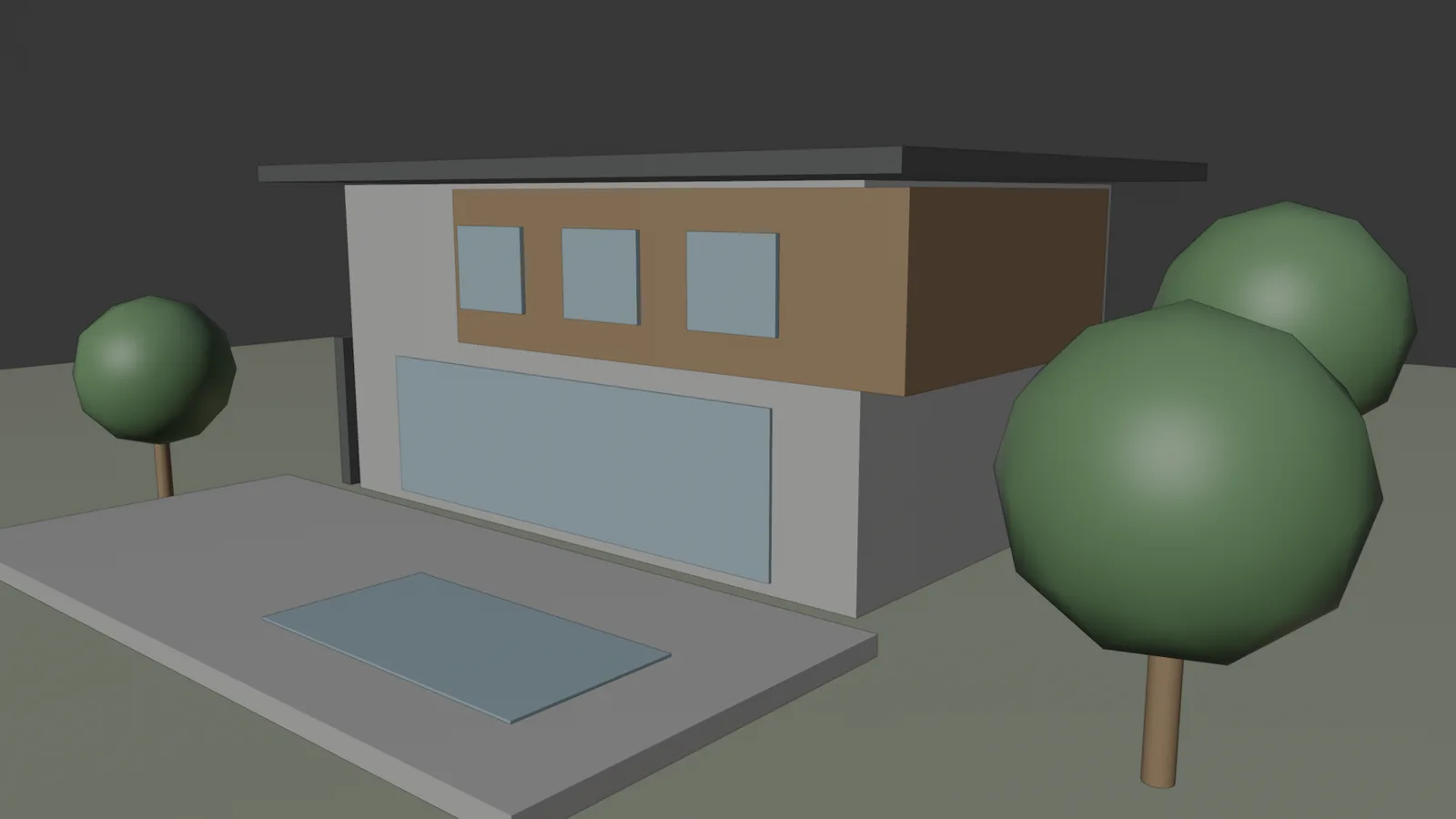
This is not a D5 Render screenshot — it's Syntina's own output, produced with no RTX GPU. Left: the viewport as captured by the add-on (2048 px). Right: the View to Render preset, one attempt; brief: "warm late-afternoon light, light oak cladding, lush garden". Camera, massing and pool position are preserved.
Model, panel and result on one screenPanel: account, scene, preset, credit estimate Model settings and result
How It Works
From brief to output in three steps.
- 01
Upload your input
Upload a sketch, photo, plan, or an exported D5 Render/viewport frame from your browser — no RTX GPU or LiveSync setup needed.
Input: Sketch, photo, or 2D plan, An exported D5 Render frame or viewport capture, if you have one, Reference style images, A short project brief
- 02
Generate style variations
Compare material, light and atmosphere options on the same input using Syntina's preset library.
- 03
Export the frame you need
Download the still you like at high resolution; for real-time walkthrough preview, that stays a D5 Render job once your scene is linked.
Output: Presentation-quality interior and exterior stills, 3D floor plan and concept images, A 3D model (GLB) generated from a single image
In Depth
D5 Render vs. Syntina, in four questions
GPU-bound real-time, or GPU-free cloud generation?
D5 Render's real-time ray tracing depends on an NVIDIA RTX-class GPU in your machine — without one, it won't hold usable frame rates.
Syntina's rendering happens entirely on Syntina's servers, so your device's graphics card is irrelevant to the output.
LiveSync vs. no scene required
D5 Render's LiveSync keeps a real 3D scene in sync from SketchUp, Revit, Rhino, Archicad, 3ds Max or Blender, so you always need a model to work from.
Syntina can start from a sketch, a photo, or a plan, with no 3D scene behind it — earlier in the process than LiveSync becomes relevant.
Free tier and asset library
D5 Render's free Community edition and large built-in asset library are a real, no-cost path into real-time rendering, once you have a scene and an RTX GPU.
Syntina's free credits on signup work the same way regardless of hardware, but the underlying model is different — generation, not a built-in object/material library.
Where each one fits in the workflow
D5 Render is the tool for iterating on an actual scene in real time, especially once lighting and materials need to look near-final.
Syntina is the tool for the moment before that: fast concept stills from whatever you already have, GPU or no GPU.
Prompt Patterns
Copy, paste, try it.
Pattern 1 — No RTX GPU on this machine
You're working from a laptop without an RTX-class card and need a presentable image before you can get to a D5-capable workstation.
Using this sketch, generate a photorealistic interior render, preserving the room layout, proportions and window positions exactly. Apply warm afternoon light, realistic wood flooring, and matte plaster walls.
A usable image today, independent of whether this machine can run real-time ray tracing.
Pattern 2 — Before linking LiveSync
The model isn't built yet, so there's nothing to link with D5's LiveSync — you need a client image from a 2D plan instead.
Convert this 2D floor plan into a furnished, top-down 3D floor plan image with warm interior lighting. Keep the room layout, wall positions, and door and window placements exactly the same.
This output type sits earlier than LiveSync — there's no 3D scene to link yet.
Pattern 3 — Lifting an exported D5 Render frame
You have a D5 Render still and want one quick material change for a client without reopening the linked scene.
Keep this frame's camera angle and composition exactly as is. Only change the facade material to dark standing-seam metal cladding, and keep the lighting, landscaping, and all other elements unchanged.
A quick variation for a one-off request, without touching the live-synced D5 scene.
Comparison
D5 Render and Syntina AI, side by side
This table covers D5 Render's verified, publicly documented features; it does not include D5 Render's Pro pricing, since tiers change over time — check D5 for current details.
| Criterion | D5 Render | Syntina AI |
|---|---|---|
| Working environment | Standalone Windows application; LiveSync links to SketchUp, Revit, Rhino, Archicad, 3ds Max, Blender and others | Web browser, no installation |
| Starting input | An existing 3D model, linked live via LiveSync | Sketch, photo, plan, or viewport capture |
| Hardware requirement | An NVIDIA RTX-class GPU; Windows | None — rendering happens in the cloud |
| Rendering approach | Real-time ray tracing with a large built-in asset library | Cloud-based AI image generation, one frame per generation |
| Time to first image | Real-time once the scene is linked and the GPU can keep up | About a minute from a single upload, no model required |
| What it's best at | Real-time iteration on an actual scene, with a free entry tier | Fast concept stills before or without a 3D model, no GPU needed |
| What it can't do | Doesn't run at usable frame rates without an RTX-class GPU | No real-time navigation or live-linked scene preview |
| Pricing model | Free Community edition, paid Pro tier (check D5 for current details) | Credit-based, from $19/month (Starter), Pro $45, Business $99 |
Scenarios
Where it's used in the field.
- Concept stills before a model is ready to link with D5's LiveSync
- Teams on laptops without an RTX-class graphics card
- Fast material or lighting variations from a photo, sketch, or viewport capture
Final Check
Is Syntina right for you?
- Your machine doesn't have an NVIDIA RTX-class GPU.
Syntina renders in the cloud, so your graphics card doesn't limit the output.
- You don't have a 3D model ready to link with LiveSync yet.
A sketch, photo, or plan is enough to generate a presentable image in Syntina.
- You need one still image today, not a live-navigable scene.
For real-time preview of the actual model, D5 Render's engine remains the stronger tool.
- You want a few material or lighting options fast, from a photo or plan.
Generate variations before setting up materials and lighting in a linked D5 scene.
- You'd rather pay for what you generate than manage a separate application.
Plans start at $19/month; use only the credits you spend.
FAQ
Frequently asked questions
- Should I choose D5 Render or Syntina?
- If you have an RTX-class GPU and a model ready to link live, D5 Render's real-time preview (including its free Community tier) is a strong, low-cost choice. If you're earlier in the process, or your hardware can't run real-time ray tracing, Syntina gets you a usable image without any GPU requirement.
- Can I use Syntina together with D5 Render?
- Yes. A common pattern is generating early concept stills in Syntina from a sketch or photo, then linking the finished model with D5's LiveSync once there's a scene worth navigating in real time.
- Is Syntina a replacement for D5 Render?
- No. Syntina doesn't offer real-time navigation or a live-linked scene, and D5 Render needs an RTX-class GPU and an existing 3D model. They fit different stages and different hardware situations.
- Do I need an RTX GPU to use Syntina?
- No. Syntina's rendering happens on its servers, so it works the same on any device with a modern browser, RTX card or not.
- Can I upload a D5 Render still to Syntina?
- Yes. An exported D5 Render frame works as an input image for a quick material or lighting variation.
- Can I try Syntina for free?
- Yes. You get free credits when you sign up and can move to a paid plan whenever you need more.
See which one fits your next project
If you have an RTX-class GPU and a model ready to work with in real time, D5 Render is a strong, low-cost choice. If you're still at the sketch or photo stage, or your hardware can't run real-time ray tracing, try Syntina.
Sign up with free credits and generate your first image in the browser, no GPU required.