
Image to 3D with Meshy 7.1, inside Syntina.
Upload a product photo or a concept render and get a real-world-scale 3D model with PBR materials, ready for your scene. Syntina's 3D Model page has been connected directly to Meshy's own API since 26 October 2026, and Meshy 7.1 is our default 3D engine.
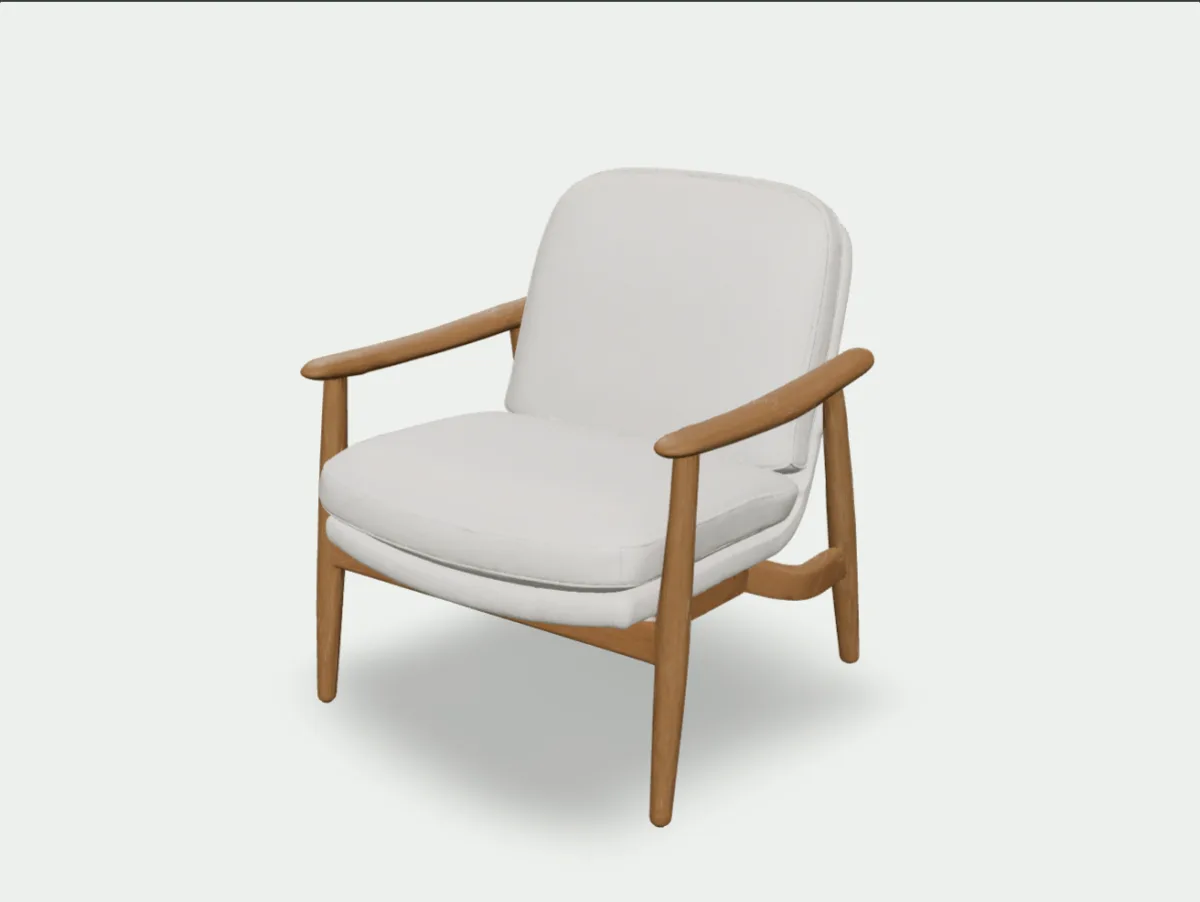
- Model in Syntina
- Meshy 7.1 image to 3D (1 front image + up to 3 extra angles)
- Connection
- Directly to Meshy's own API since 26 October 2026
- Where
- The 3D Model page in the app: generate, inspect, lighten, retexture, download
- Credits
- Textured model 120, untextured 80; lighten 20, change material 40
Latest from Meshy
What Meshy shipped in the last three months
Compiled from Meshy's own blog posts and API changelog. Meshy's own measurements are reported as Meshy's claims.
12 August 2026
Meshy 7 in the API
Meshy 7 was added to image-to-3D, multi-image-to-3D and retexture, and to text-to-3D the next day.
Source: Meshy API changelog10 September 2026
Meshy 7.1: geometric detail
7.1 focuses on surface detail. Ultra 4K raises geometry resolution from 2048³ to 4096³; Meshy says raw meshes can reach 80 million triangles before simplification and that 7.1 leads its own detail benchmark. It became the API default on 18 September.
Source: Meshy blog: Meshy 7.116 October 2026
Meshy Edit
Change only the selected part of a model with a brush or lasso, a text prompt and up to 5 reference images. Currently in Meshy's own web app.
Source: Meshy blog: Meshy Edit2 November 2026
Meshy N1 texturing model
Meshy's first native texturing model, added to the retexture API.
Source: Meshy blog: Meshy N110 November 2026
Skeleton templates, and Meshy 7 retiring
The auto-rigging API can now output Mixamo, UE5 Mannequin, Unity Humanoid, Blender Rigify and other skeletons, optionally with finger bones. The same day Meshy announced that Meshy 7 leaves 3D generation on 31 December 2026; Syntina already runs 7.1.
Source: Meshy API changelog
Why Meshy
What does a model need to go into an architect's scene?
A piece of furniture or a concept massing only works in a scene at the right scale, with clean geometry and materials that respond to light. Meshy 7.1 gives all three together.
One photo, real-world scale
With real-world size on, Meshy scales the model to the object's actual size and puts its base on the ground. Import it and you do not have to resize the chair by hand.
The chair on this page came in with a 71 × 79 cm base, 80 cm tall, its base at zero. The size is an estimate: use it for scene layout, not for fabrication drawings.
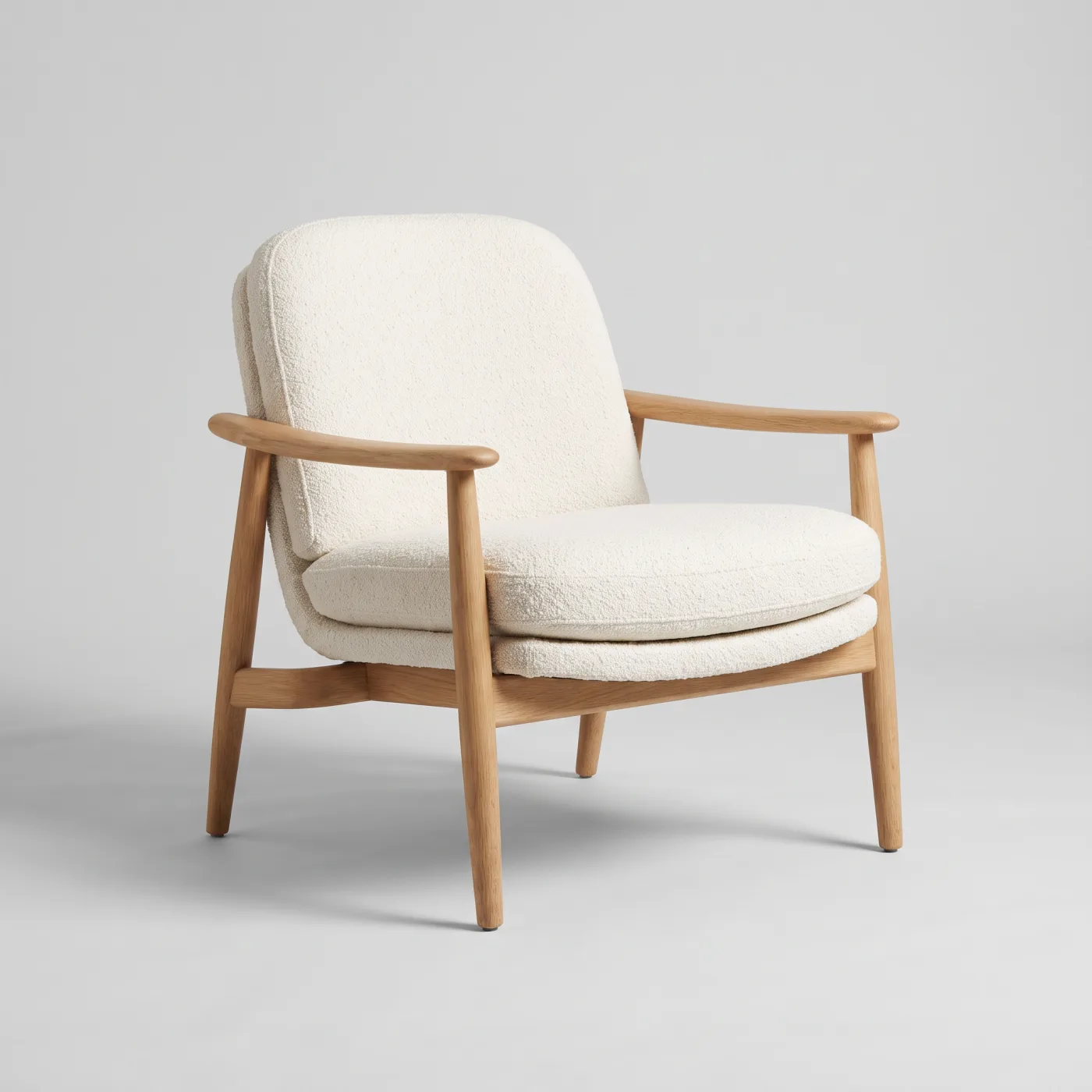
The real change in 7.1: geometric detail
According to Meshy, Ultra geometry holds thin profiles and surface breaks better than standard mode. In Syntina, Ultra is one option: +20 credits; the interface says about 3 minutes, and the pavilion below took 4.5.
The pavilion below is a massing model from a single concept render. The massing, roof overhang and glazed door are there; the slats came in as texture rather than separate bars, and the edges softened. Good for concept work, not a construction model.
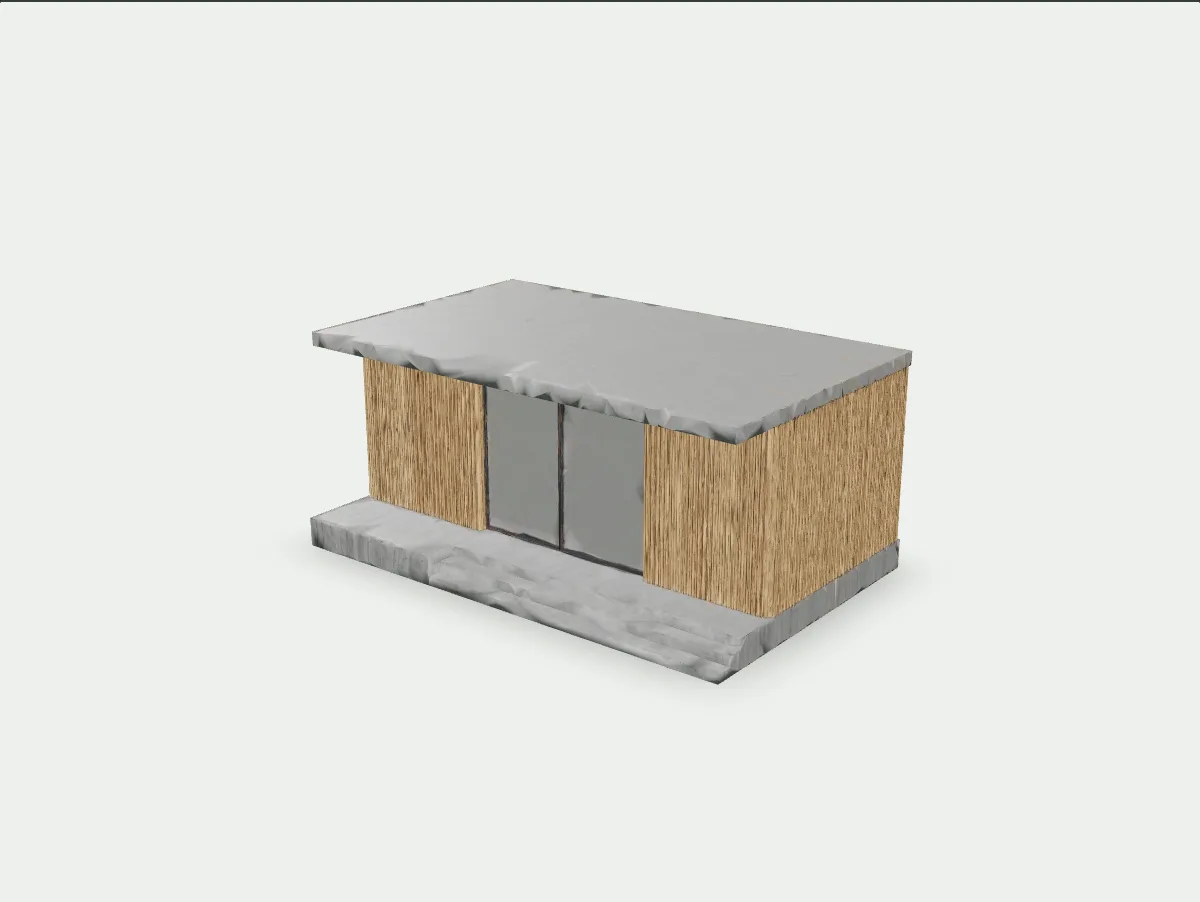
PBR materials up to 8K
The model comes with metal/roughness and normal maps next to the colour texture, so it responds correctly to light in 3ds Max, Blender or any render engine: wood stays matte, metal stays glossy.
In Syntina 4K PBR is included in the model price and on by default; 8K is +20 credits, for close-ups.
Lightening a heavy model
A full-detail model can be 300-400 thousand triangles, which slows SketchUp and 3ds Max down. Lighten model rebuilds the same model at the triangle count you choose, with quad or triangle topology, and keeps the textures.
Changing the material
A different finish on the same geometry: write a description or give a style image.
The chair's looped boucle texture was lost in the first model. We retextured it from a short description: the cushions got a regular, dotted texture that suggests boucle. The same texture spilled onto the tops of the armrests, because a material change repaints the whole model; you cannot pick a part.
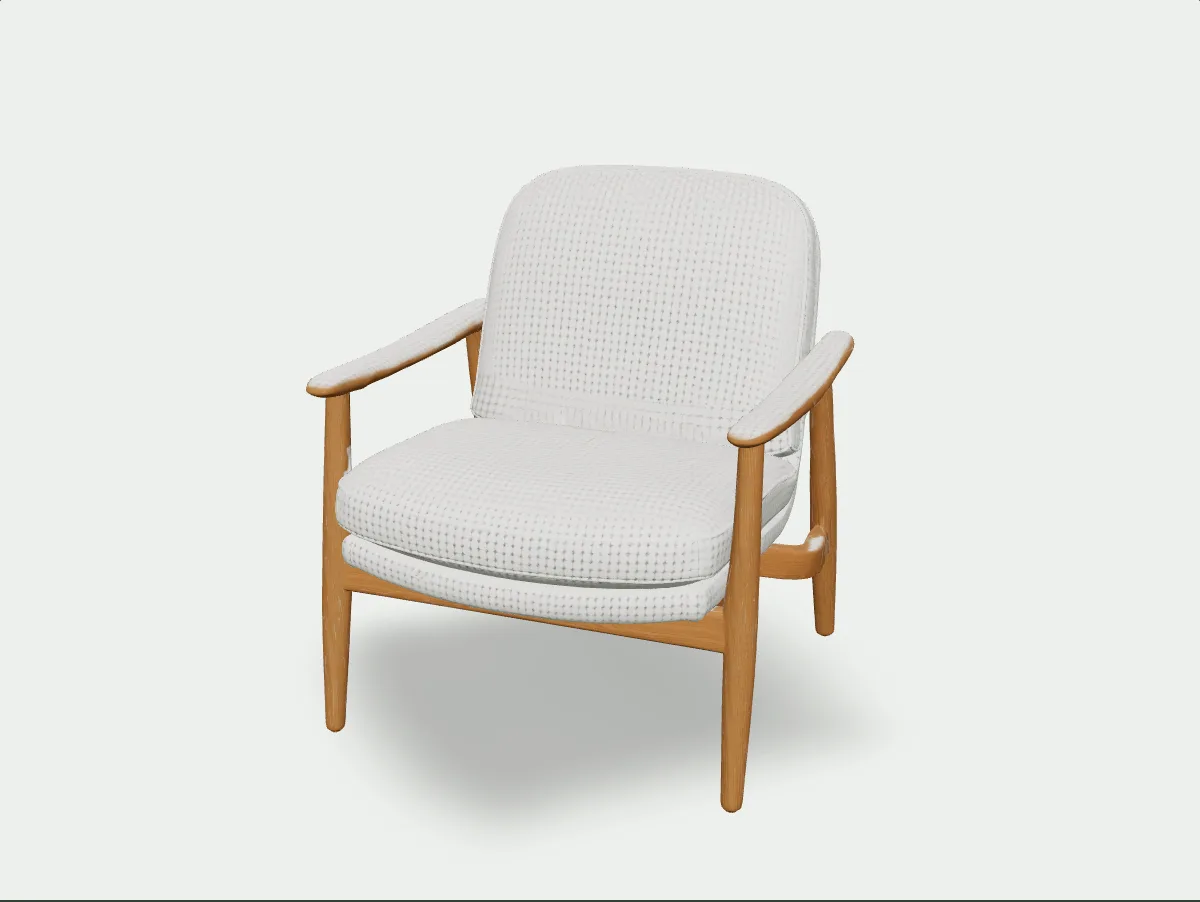
How we use it in Syntina
We did not add Meshy to a model list. We built it into the workflow.
Meshy's API has dozens of settings. We picked the ones that actually change an architect's result, labelled them plainly and put each one's cost next to the button.
Meshy is our default 3D engine
On 26 October 2026 we connected Meshy directly through its own API and made it "Recommended" on the 3D Model page. The reason is simple: a model going into an architect's scene needs scale, clean geometry and materials together.
We pin the version
Meshy's "latest" tag moves with every release, and the price can move with it. We run Meshy 7.1 pinned and switch only after measuring the next version ourselves, so you generate knowing the price will not change silently.
Defaults made for architects
Textures default to 4K PBR, real-world size is on, and the mesh is full detail. Character pose (A or T) is only for human figures. Each setting shows its credit cost, so you see the total before pressing Generate.
The model is not the end
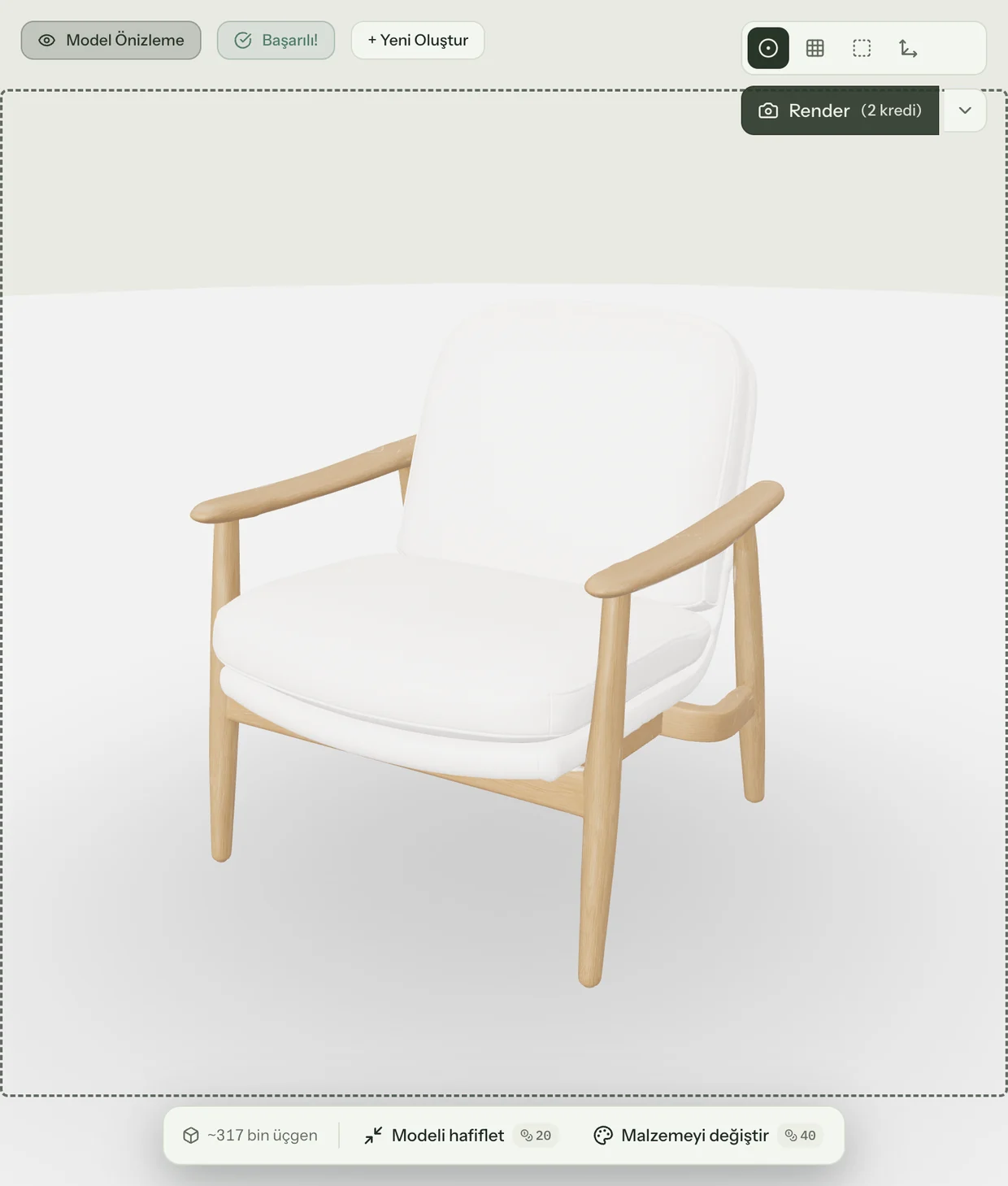
Two actions sit under the viewer: Lighten model (20 credits) and Change material (40 credits). Render in the viewer turns any angle of the model into a presentation image with the background you choose.
We produce the FBX
We take the model from Meshy as GLB and convert it to FBX on our own servers for 3ds Max users. Both GLB and FBX are in the download menu.
Up to four views
The front image is required; add back and side views and Syntina sends the request to Meshy's multi-image endpoint, so the hidden sides come from your images instead of a guess.
Step by step
Photo to model in four screens.
Screens from the live app, from the real generation of the chair above, shown in Turkish (the English interface has the same layout). Every setting is covered in detail in our blog guide.
- 01
Upload the image
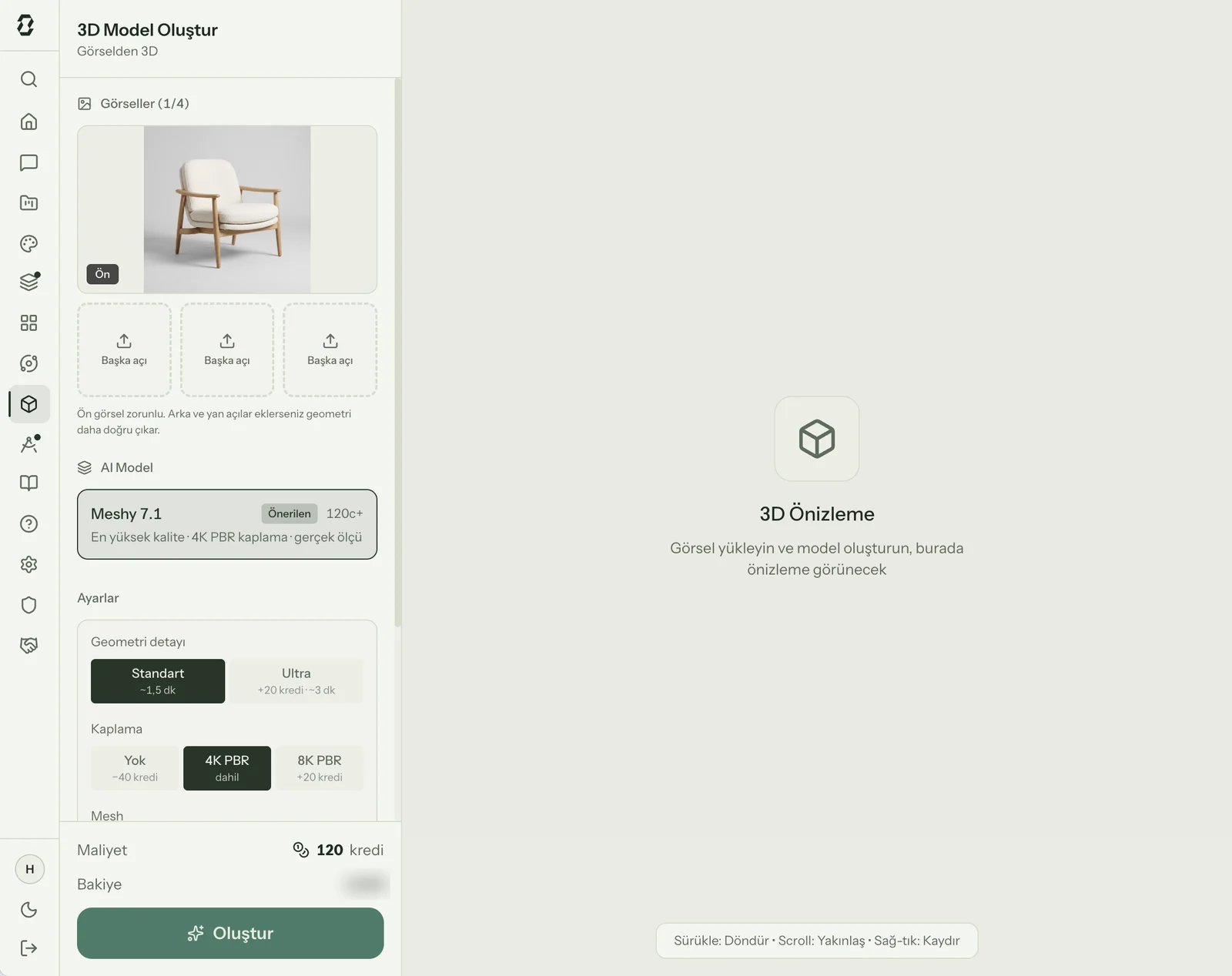
Meshy 7.1 is preselected on the 3D Model page. Drop in the front image; add back and side views with "Add other angles" if you have them.
- 02
Pick the settings
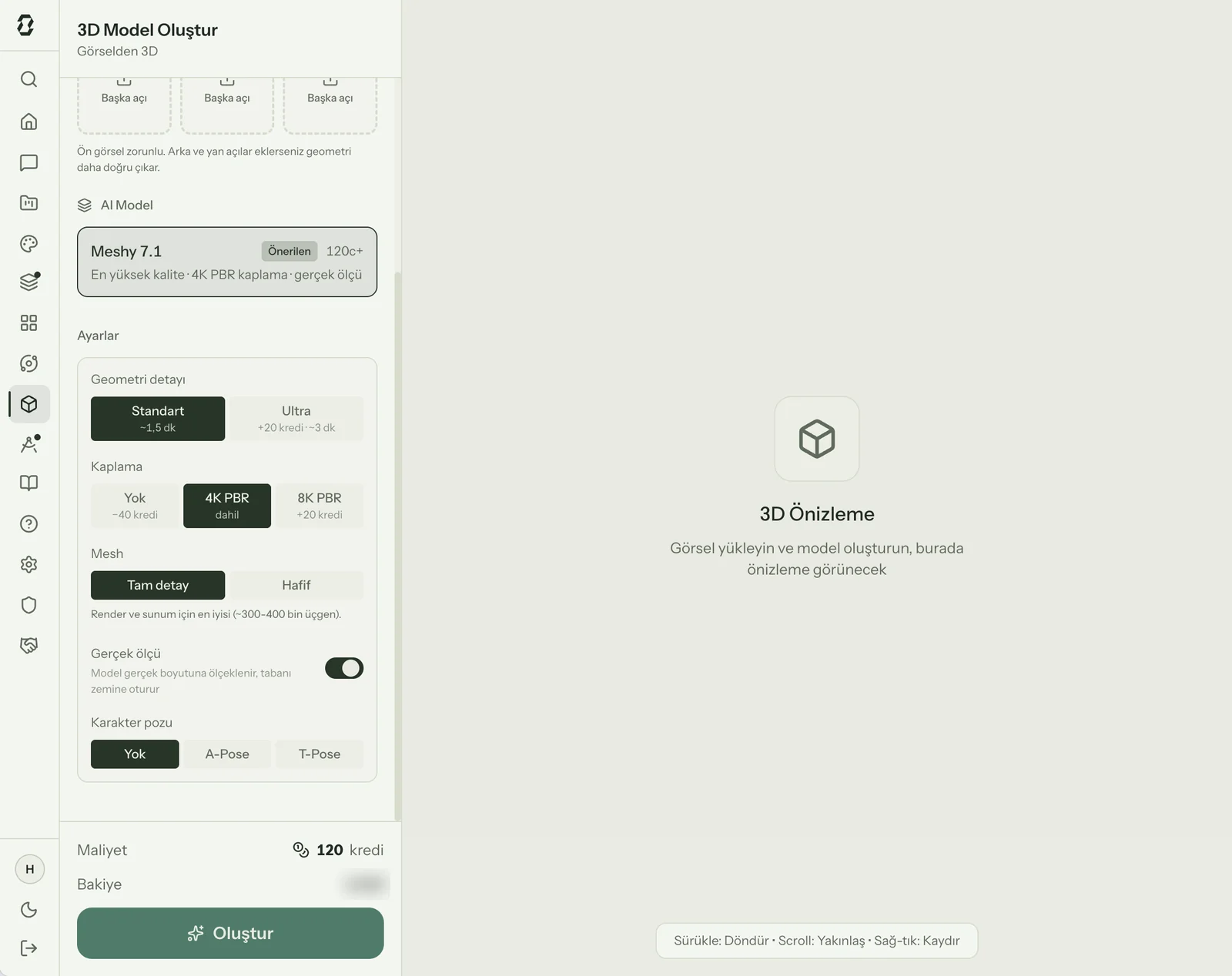
Geometry detail (Standard or Ultra), textures (4K PBR, 8K PBR or none), mesh (full or light), real-world size and character pose. The credit cost sits next to each option.
- 03
Generate and wait
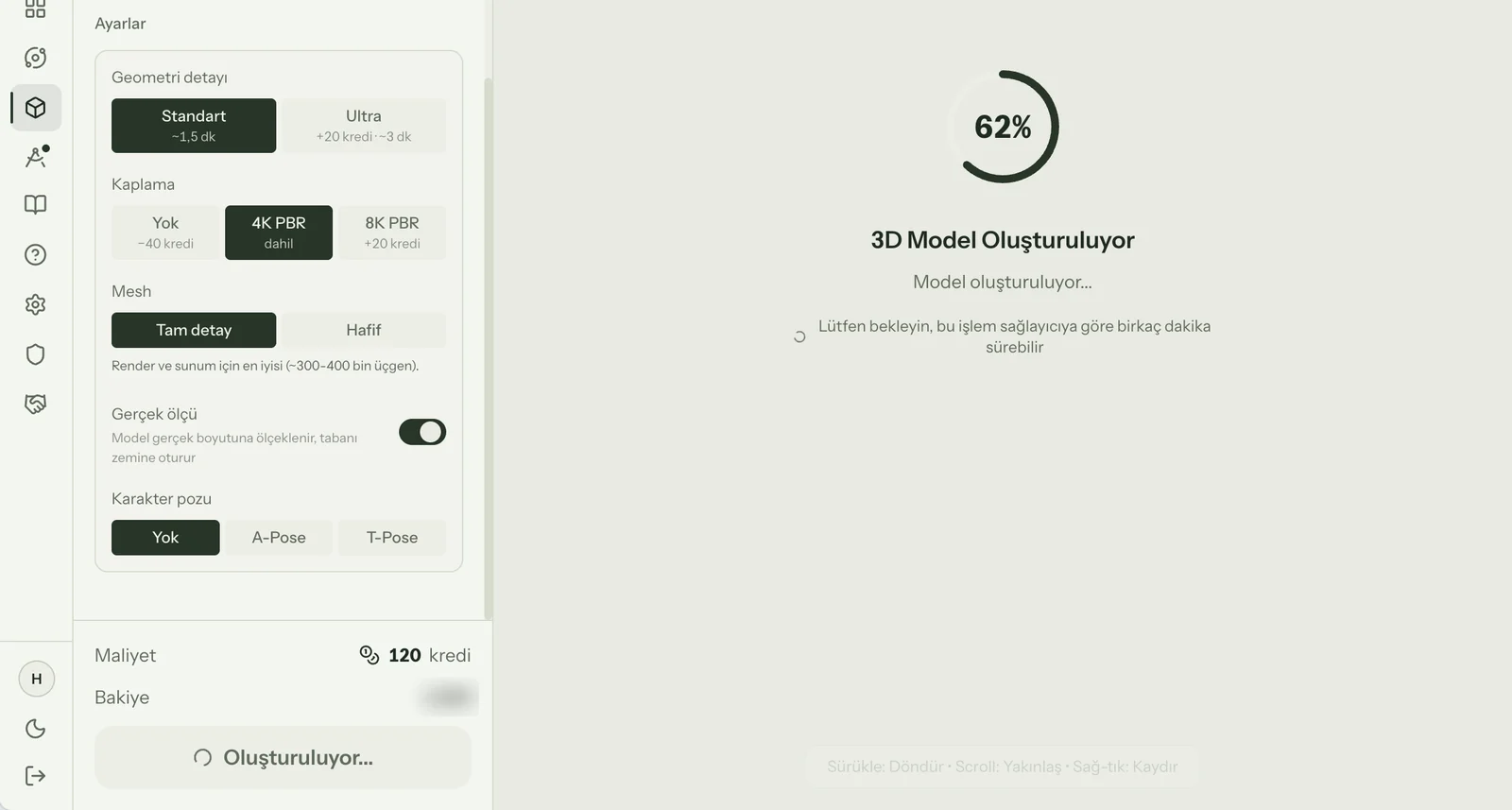
Standard geometry takes about 1.5 minutes, Ultra 3-5. You can leave the page; the model lands in Recent Models.
- 04
Inspect, lighten, download
Rotate the model and switch to wireframe or normals view. Lighten it or change its material if needed, then download GLB or FBX.
For architects
Where it helps in the office
Furniture from a supplier photo
No 3D file from the manufacturer? Get a real-world-scale model from the product photo and place it in your interior scene, so the client sees the product they will actually buy.
A massing model from a concept render
Pull a rough 3D massing out of an early render. You have a model to turn and discuss in context before anyone starts drawing.
A presentation image from the model
Turn the model to any angle in the viewer and press Render: set a background colour and a short description, get a product image for the deck.
Material options on one model
To show a chair in three upholsteries, do not generate three models; change the material of the same one.
Beyond architecture
The same engine makes characters too.
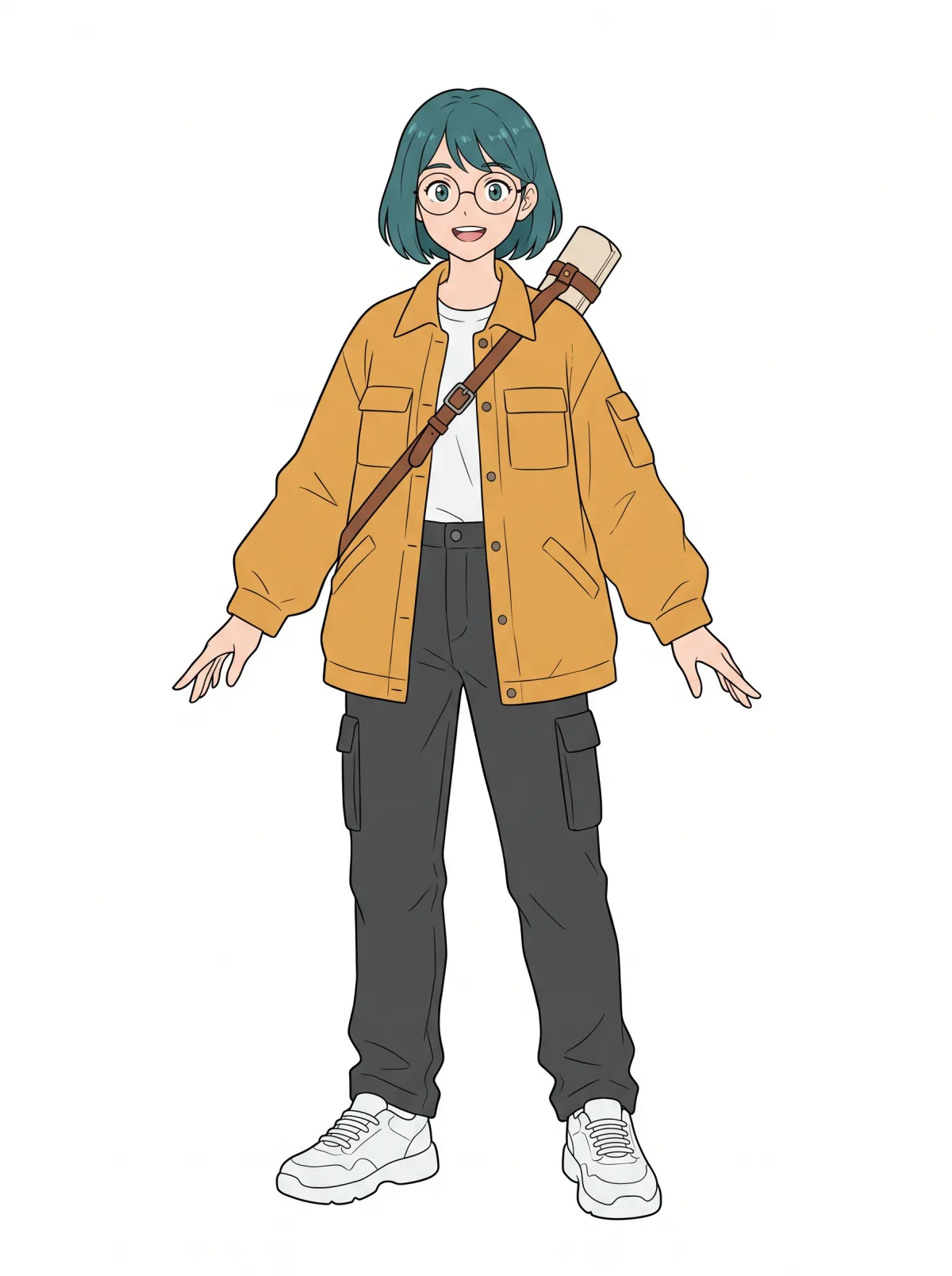
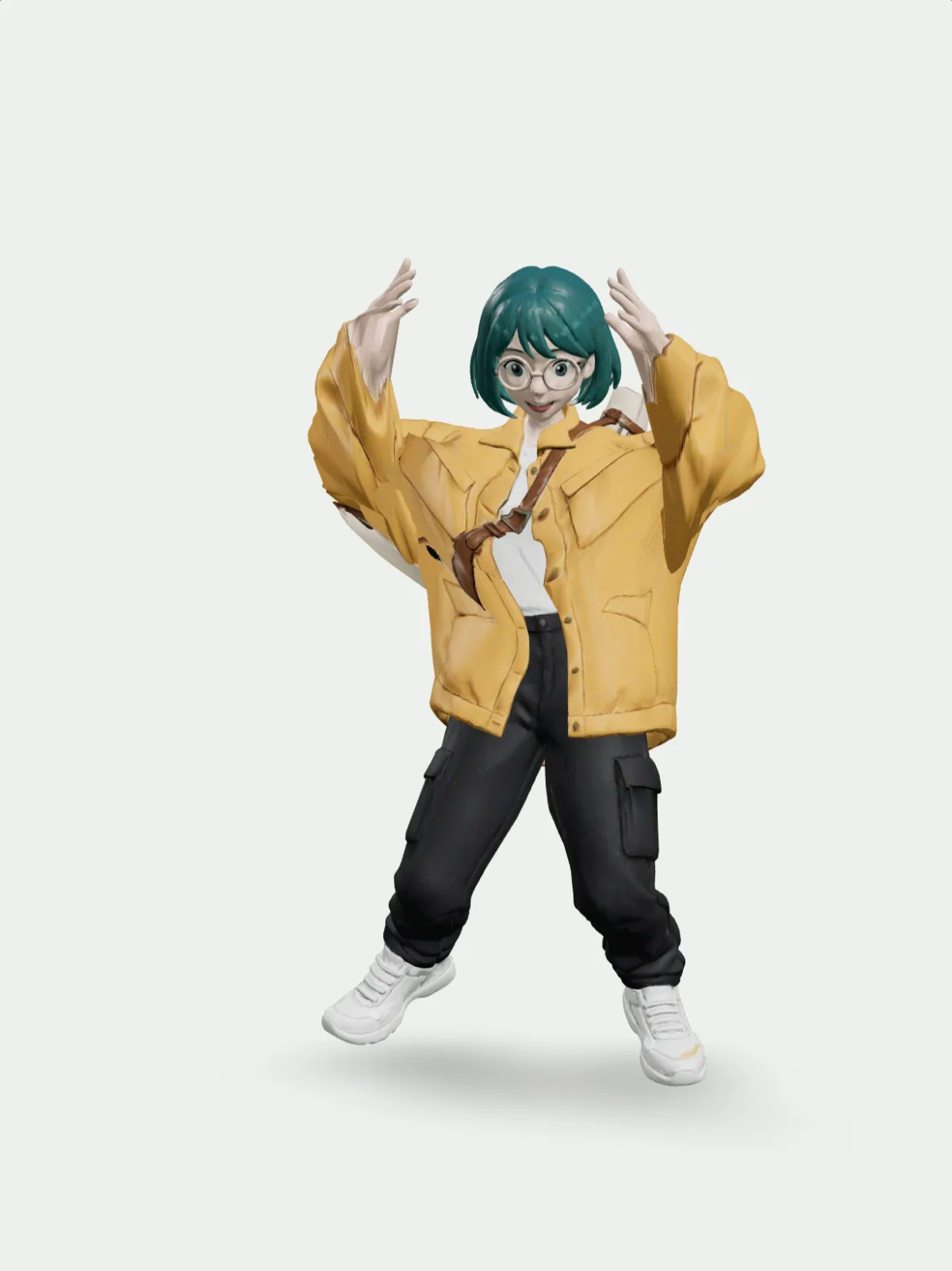
We build Syntina for architects today, but our 3D engine does not only make furniture and buildings. We first drew this young architect as an original anime illustration in Syntina, then turned it into 3D with the same settings the 3D Model page uses (Meshy 7.1, A-pose, light mesh): 130 seconds.
Rigging and animation are not in the Syntina interface yet, so we ran this whole test on Meshy's API: auto-rigging took 29 seconds and each animation 12-18 seconds. Meshy's motion library has 678 ready-made moves today. It is a direction we are considering opening up for game developers and animators.
Limits
What it does not do, and what to watch
One photo only knows the visible side
Back and bottom surfaces are inferred. If they matter, upload the back and side views too.
The size is an estimate
Real-world size is good enough for scene layout; check the dimensions yourself for fabrication or construction drawings.
Raw models can be heavy
Full detail can reach 300-400 thousand triangles. If your scene slows down, use Lighten model to bring it to 50-100 thousand.
Animation is for humanoid characters only
Meshy's auto-rigging is for two-legged humanoid figures. It means nothing for buildings or furniture, and it is not in the Syntina interface yet.
FAQ
Frequently asked questions
- Do I need a Meshy account to use Meshy in Syntina?
- No. Meshy runs inside Syntina and generations use your Syntina credits.
- How many credits is a model?
- A textured (4K PBR) model is 120 credits, untextured 80. 8K textures or Ultra geometry make it 140, both 160. Lighten model is 20 credits, Change material 40 (60 at 8K).
- How long does it take?
- About 1.5 minutes for standard geometry and 3-5 for Ultra. Lightening and material changes usually take 1-2 minutes.
- Which formats can I download?
- GLB and FBX. GLB for the web and most 3D tools, FBX for 3ds Max.
- Can it animate?
- Meshy's API can rig and animate humanoid characters; that is how the character on this page moves. These steps are not in the Syntina interface yet.
- What kind of image works best?
- A sharp image showing the whole object on a plain background. Cropped, overlapping or very dark images break the geometry.
Sources
Where the company facts on this page come from
- Meshy blog: Meshy 7.12026-09-10
- Meshy blog: Meshy Edit2026-10-16
- Meshy blog: Meshy N1
- Meshy API changelog
- Meshy API: Image to 3D
- Meshy API: Remesh
- Meshy API: Retexture
- Meshy API: Rigging & Animation
- Meshy API: Animation Library
Sources checked on 14 November 2026.
Meshy and its product names are trademarks of their owners. Syntina uses these models through Meshy's public API; this page was not prepared by Meshy and does not imply endorsement or a formal partnership. The company's own measurements and benchmarks are reported as its claims.