
Multi-reference renders with Nano Banana 2.1 and Pro, inside Syntina.
Bring a site photo, a material and a piece of furniture together in one render. Syntina carries Google's Nano Banana 2.1 and Nano Banana Pro image models and the Veo 3.1 and Gemini Omni Flash video models; we moved to 2.1 on 8 October 2026, two days after its GA.
- Image models
- Nano Banana 2.1 and Nano Banana Pro; a Lite option for editing too
- Video models
- Veo 3.1 (fast, lite, first-last frame) and Gemini Omni Flash
- Where
- Canvas, the Katman layer editor and the mobile app
- Credits
- 2.1 edit 16 / 24 / 32 (1K / 2K / 4K); Pro 30 at 1K and 2K, 60 at 4K
Latest from Google
What Google shipped in recent months
Compiled from Google's own AI Studio changelog. Google's statements about its models are reported as Google's claims.
31 March 2026
Veo 3.1 Lite preview
A Lite version joined the Veo 3.1 family as a preview. Google shut down Veo 2.0 and 3.0 on 30 June 2026.
Source: Google AI Studio changelog28 May 2026
Nano Banana Pro is generally available
Google positions Pro as the premium choice for complex visual tasks.
Source: Google AI Studio changelog27 August 2026
Gemini Omni 1.1 Flash is generally available
The 1.1 release of the Omni Flash series went GA. Google announced that 1.1 will route to 1.2 from 3 December 2026.
Source: Google AI Studio changelog6 October 2026
Nano Banana 2.1 is generally available
Google describes 2.1 as a high-efficiency image generation and conversational editing model, and positions it as the primary workhorse of its image line-up.
Source: Google AI Studio changelog5 November 2026
Gemini Omni 1.2 Flash is generally available
With 1.2, Google announced video generation up to 15 seconds and a 30 percent lower video output price. The Omni Flash engine in Syntina is not 1.2 yet, so we do not promise 15 seconds in Syntina.
Source: Google AI Studio changelog
Why Nano Banana
One image is not enough for an architect's render.
A real scene is made of a site photo, a few materials and furniture. Google's image models can take all of them in a single request.
14 references in one request
According to Google, 2.1 accepts up to 14 reference images: up to 10 objects and 4 characters. Pro also goes up to 14, split into up to 6 objects, 5 characters and 3 style references.
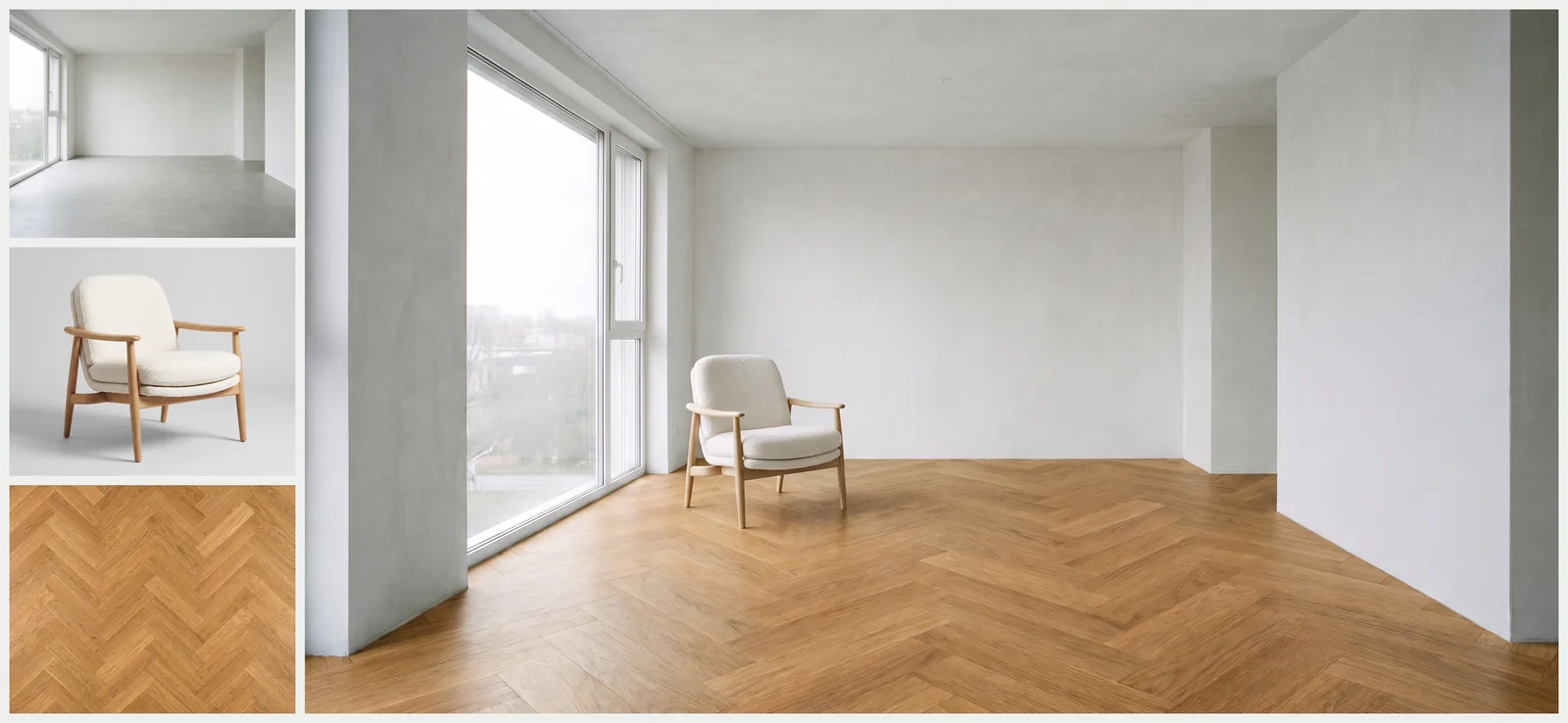
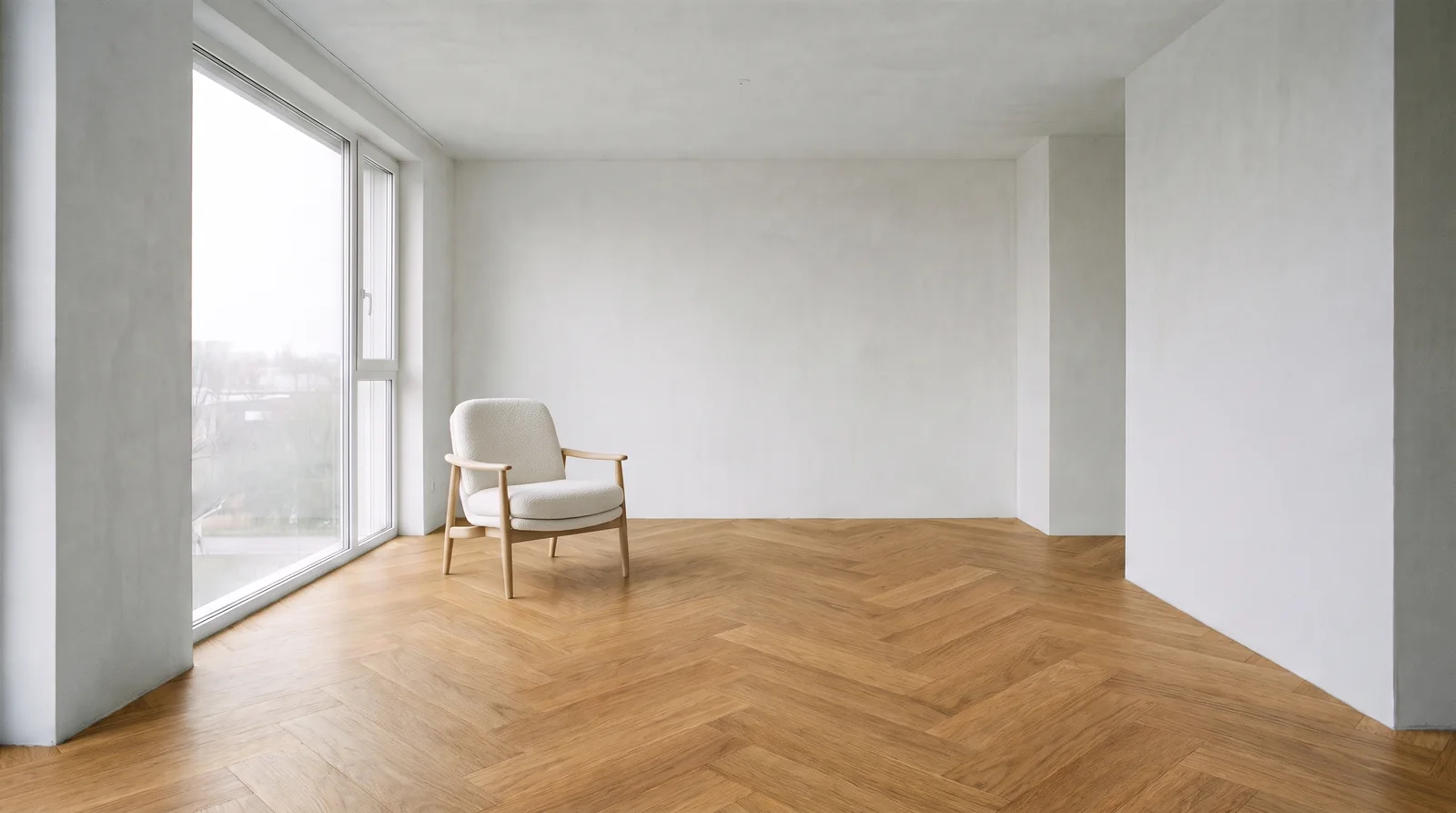
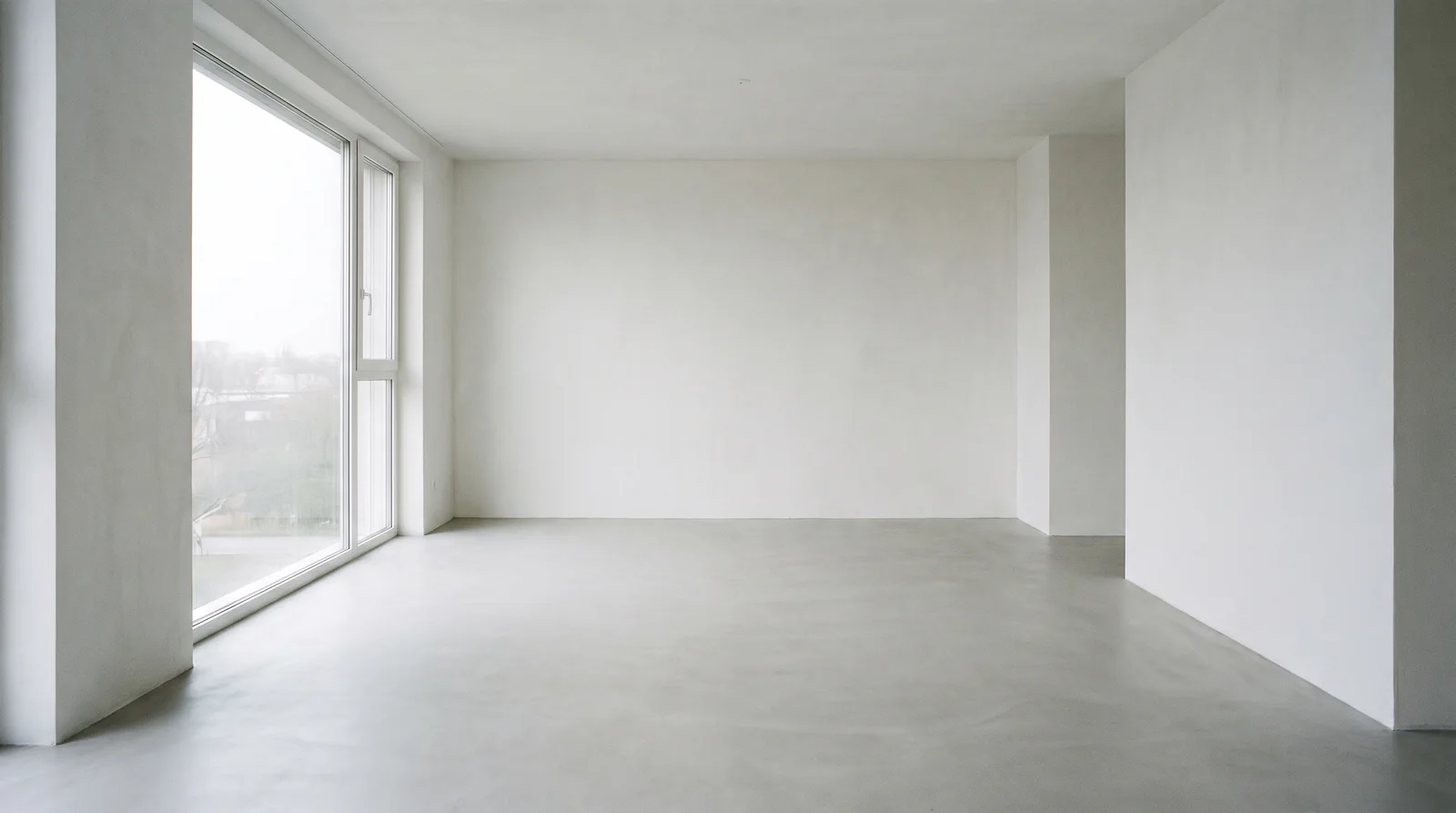
We tried it: we gave Nano Banana Pro a photo of an empty room, a photo of a lounge chair and a parquet sample together and asked, in Turkish, to keep the room, lay the parquet and put the chair by the window. The camera, window and light were kept; the floor and the chair came from the references. The 2K image took 24 seconds.
1K, 2K and 4K
Output is 1K by default, and 2K or 4K on request. 2.1 has no 512 px option.
Legible text
Google says the model can produce legible, stylized text for infographics, menus and diagrams. It is useful for a labelled diagram or a signage test.
Thinking and the watermark
Thinking is on by default in both models and cannot be turned off; on 2.1 the level can be minimal, medium or high. Google also states that every image it generates carries a SynthID watermark.
How we use it in Syntina
We changed the model without breaking your work.
Google's models run in three places in Syntina: the canvas, the Katman layer editor and the mobile app. Below is which one we use where, and why.
We moved to 2.1 in two days
2.1 went GA on 6 October 2026, and on 8 October 2026 we moved Syntina's Nano Banana to 2.1. We updated the existing choices in place: your saved canvases, presets and the mobile app kept working without asking you to do anything.
Credits did not change in the switch
The credit rates stayed the same after the move. 2.1 edit costs 16 credits at 1K, 24 at 2K and 32 at 4K. The cost is shown next to each option.
Pro for the final frame, 2.1 for trying
When you are looking for an idea, trying quickly and cheaply with 2.1 makes sense, then turning the composition you like into the final frame with Pro. Pro is 30 credits at 1K and 2K and 60 at 4K. That is why many of our presets default to Nano Banana Pro.
Multishot runs on 2.1
The default image engine of the Multishot preset is still Nano Banana 2.1 edit. For trying several angles of the same space, it gave us the best balance of speed and cost.
Object edits in Katman
When you change an object in the Katman layer editor, the job goes to the Nano Banana family; 2.1, Pro and Lite edit options exist. We use these models instead of writing a separate engine so that the rest of the image stays intact.
Veo and Omni for video
For image-to-video on the canvas and in the mobile app we offer Veo 3.1 (fast, lite and first-last frame) and Gemini Omni Flash. Veo lengths are 4, 6 and 8 seconds.
For architects
Where it helps in the office
Site, material and furniture in one frame
Give the site or plot photo, a cladding sample and the furniture you picked as references. The client sees how the products sit together in a single image.
Step-by-step revisions on one frame
Google also describes 2.1 as a conversational editing model. Make small edits one after another on the same image on the canvas: floor first, then light, then furniture.
Labelled diagrams and signage
With legible text you can produce a labelled floor diagram or a signage test. Still check the text before it goes out.
A walkthrough from first frame to last
Pick two frames of the same space: the Veo 3.1 first-last frame engine generates the camera move in between. A short walkthrough video does not need a separate tool.
Limits
What it does not do, and what to watch
Output comes as JPEG
Gemini returns images as JPEG, with no transparent background.
Nothing below 1K
The smallest size is 1K. We do not offer a smaller, cheaper size.
Thinking cannot be switched off
Google does not allow thinking to be turned off. This can make some generations take longer.
Lite is not for multi-reference
Google describes Lite as not optimized for multiple reference inputs or multi-turn editing. Choose 2.1 or Pro for complex scenes.
Video lengths
Veo generations in Syntina are 4, 6 or 8 seconds. Omni Flash ranges from 3 to 10 seconds. The 15 seconds Google announced belongs to Omni 1.2 and is not in Syntina yet.
FAQ
Frequently asked questions
- Do I need a Google account to use Google's models in Syntina?
- No. The models run inside Syntina and generations use your Syntina credits.
- Should I pick Nano Banana 2.1 or Pro?
- 2.1 for quick tests and many variations; Pro for final frames and hard scenes. Both take up to 14 reference images.
- How many credits is an image?
- Nano Banana 2.1 edit is 16 credits at 1K, 24 at 2K and 32 at 4K. Nano Banana Pro is 30 credits at 1K and 2K and 60 at 4K.
- How many reference images can I give?
- Up to 14. According to Google, on 2.1 up to 10 of them can be objects and 4 characters.
- Which aspect ratios can I choose?
- The canvas ratio picker has square, landscape and portrait ratios and wide ones up to 21:9. When you work from a reference image you can also keep the source image's ratio.
- How long can a video be?
- 4, 6 or 8 seconds with Veo 3.1, and 3 to 10 seconds with Omni Flash.
Sources
Where the company facts on this page come from
Sources checked on 14 November 2026.
Google and its product names are trademarks of their owners. Syntina uses these models through Google's public API; this page was not prepared by Google and does not imply endorsement or a formal partnership. The company's own measurements and benchmarks are reported as its claims.